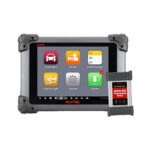







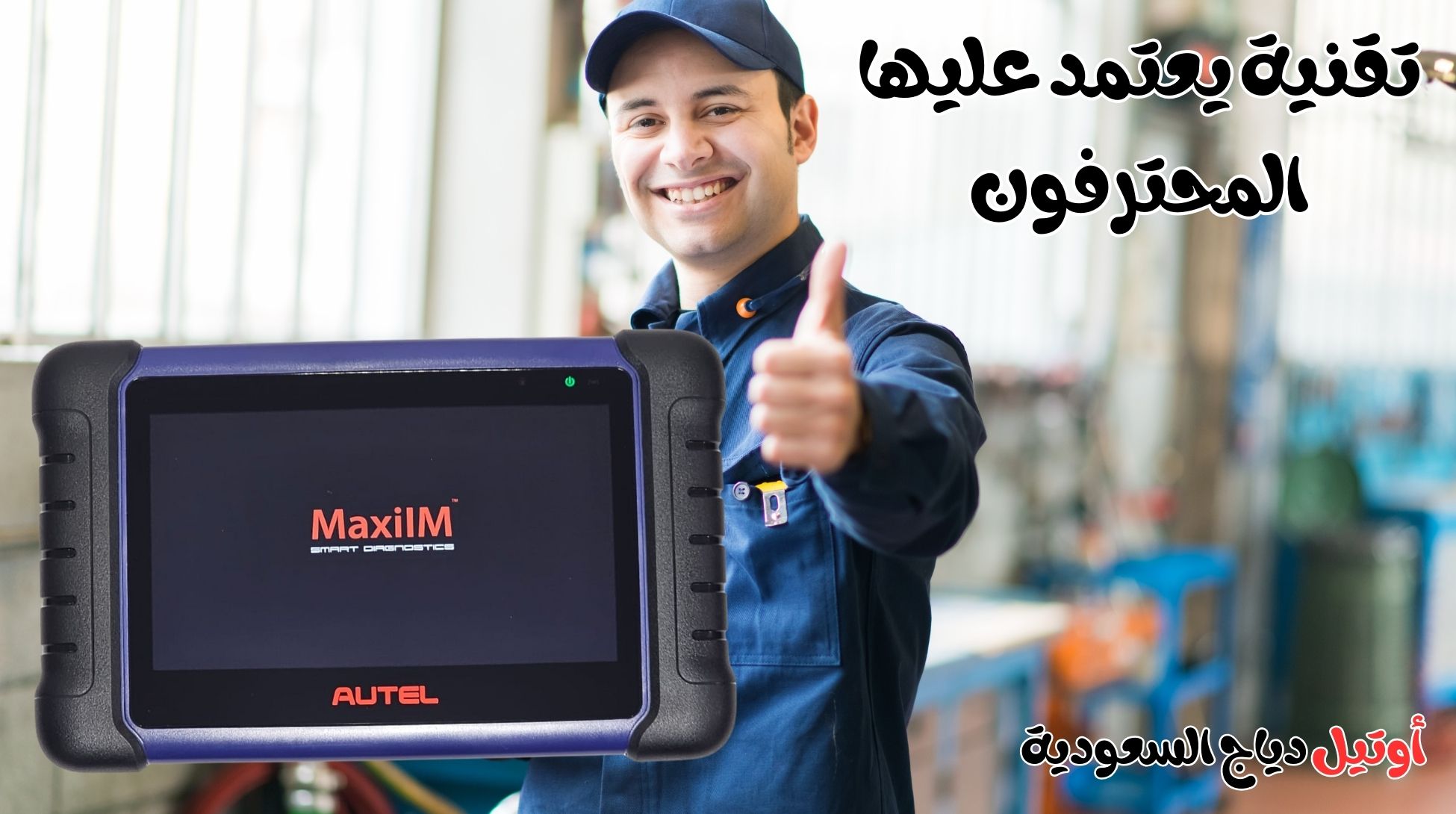
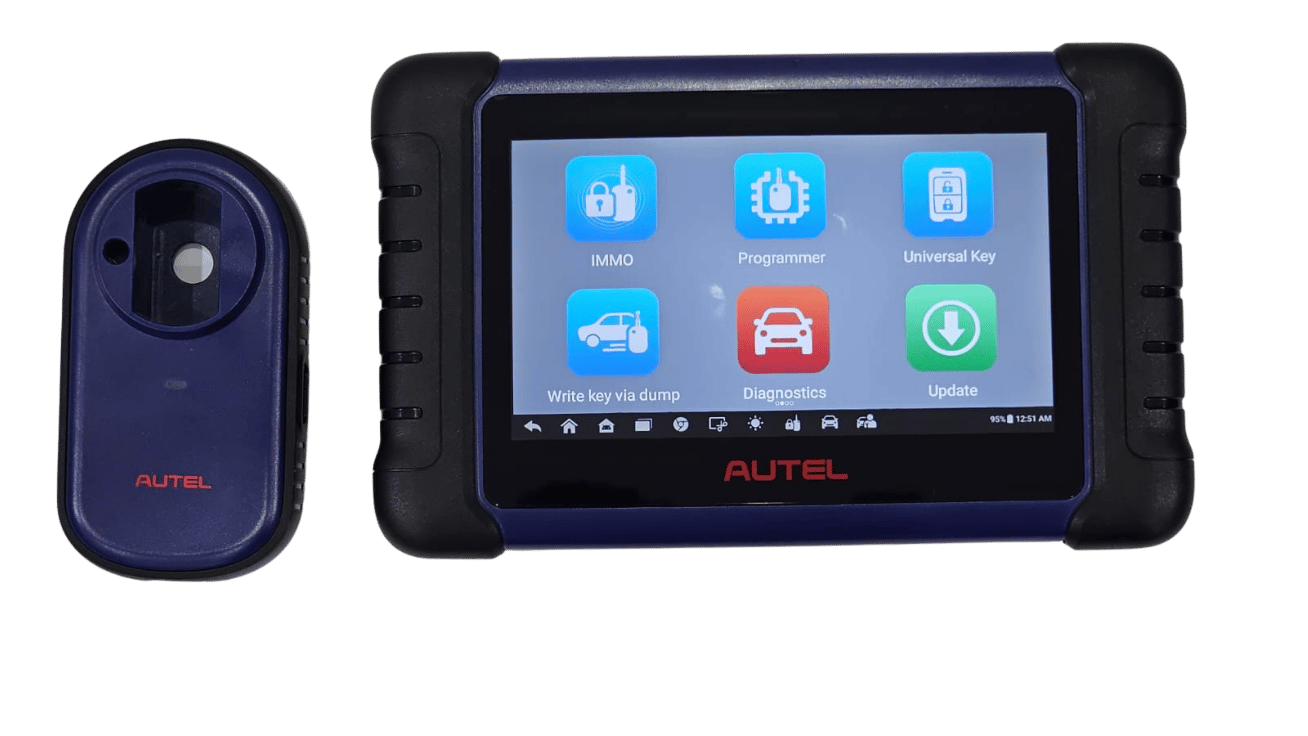
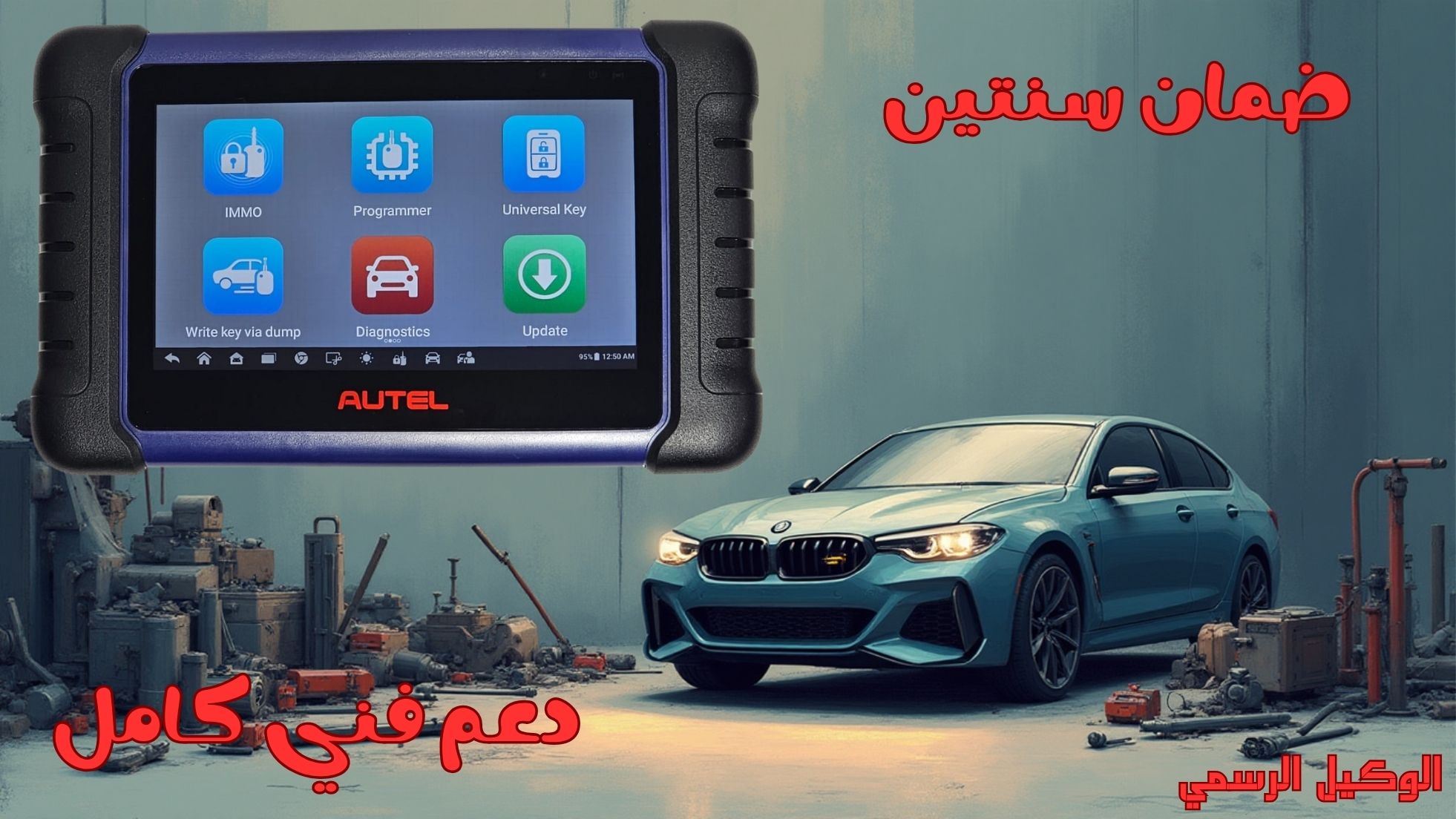
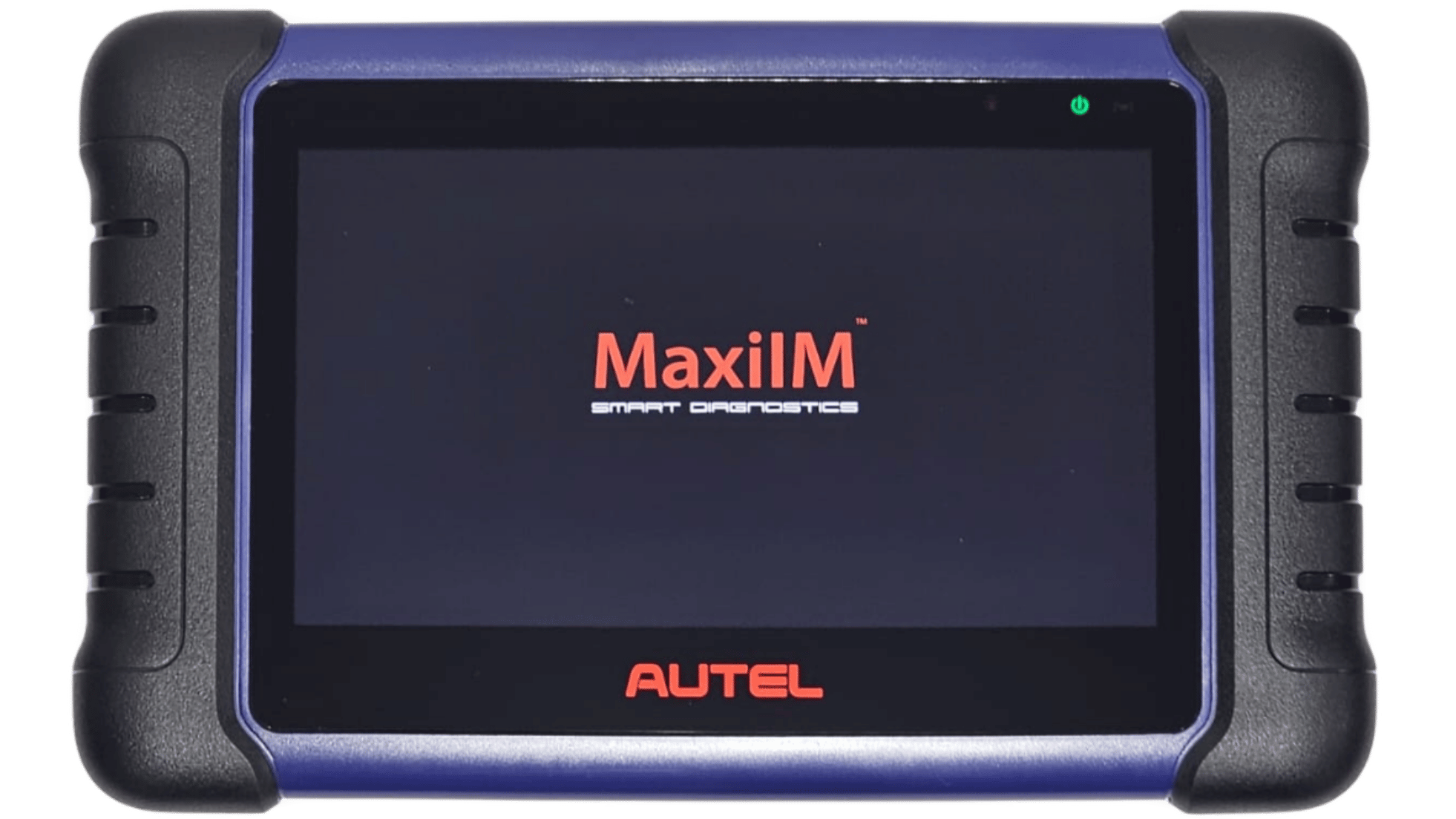
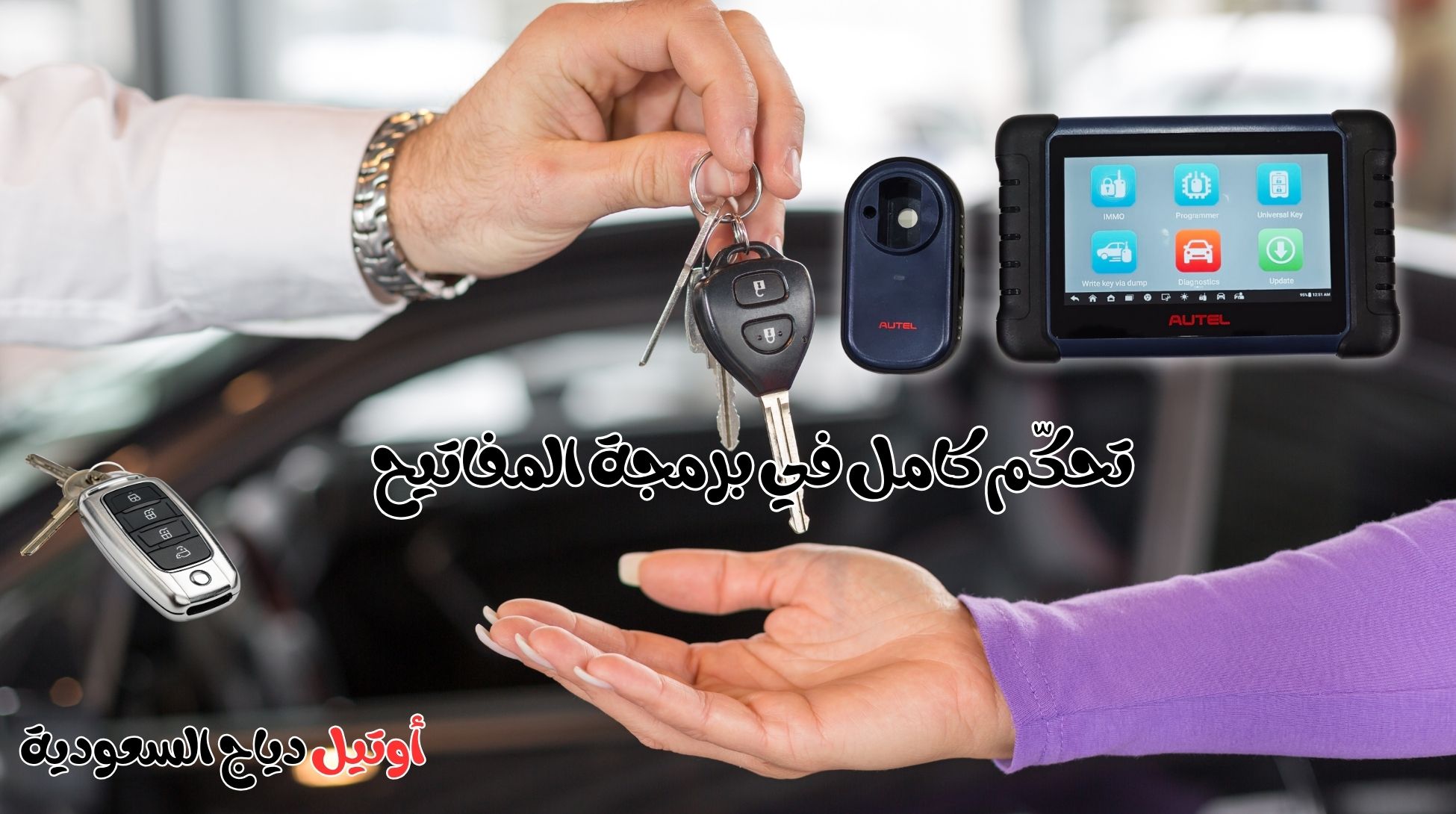

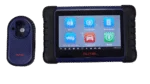



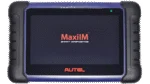






The Latest Car Key Programming Device – Autel MaxiIM IM508S
Original price was: 5.000,00 SAR.3.850,00 SARCurrent price is: 3.850,00 SAR.
The Autel MaxiIM IM508S is the ultimate solution for technicians and specialized workshops in vehicle diagnostics and key programming. It combines advanced technology with ease of use in a single, comprehensive device. The IM508S allows precise scanning of all vehicle systems, including electronic modules, immobilizers, and smart key programming, saving you time and effort while ensuring professional performance in every maintenance or repair task.
When you purchase the Autel MaxiIM IM508S from Autel Diag KSA, you receive an official two-year warranty covering all technical faults and issues, along with full technical support to help you use the device efficiently and resolve any challenges. The package also includes a free training course, enabling you to master all device functions and professional usage techniques, plus after-sales service to ensure the device operates at peak performance for as long as possible.
By choosing the Autel MaxiIM IM508S, you invest in a reliable, professional device that enhances the capabilities of your workshop or technical work, providing complete solutions for fast and accurate diagnostics and key programming, along with peace of mind and full support from an authorized local distributor in Saudi Arabia.
233 in stock
 Maya / المبيعات
تواصل معنا عبر الواتس لتحصل على هدية على الجهاز
Maya / المبيعات
تواصل معنا عبر الواتس لتحصل على هدية على الجهاز
Comprehensive Introduction to the MaxiIM IM508S Car Key Programming Device for Modern Vehicles
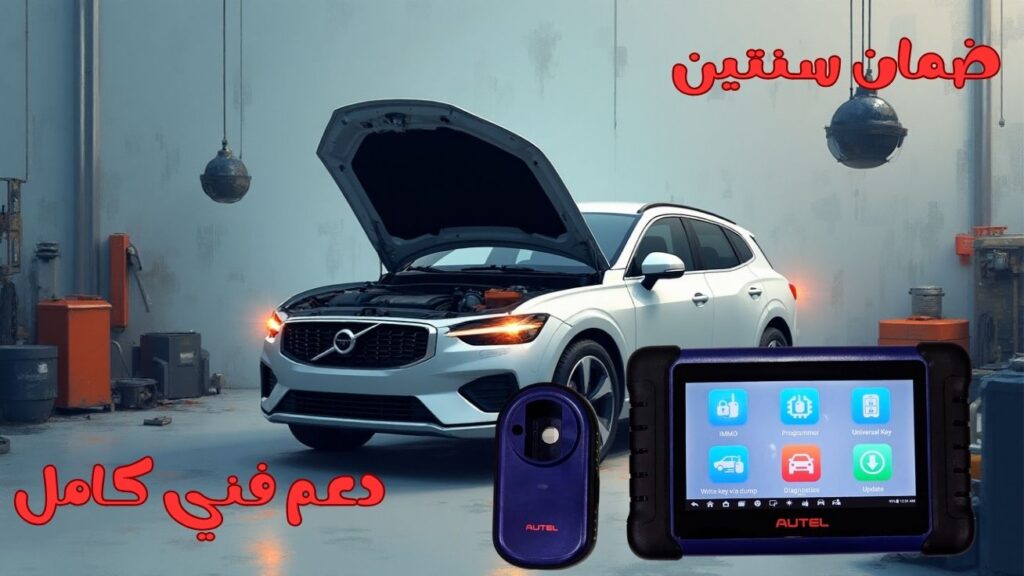
In today’s rapidly advancing automotive service industry, owning a car key programming device has become essential for every professional technician and modern auto workshop. Among the top devices in this field, the Autel MaxiIM IM508S stands out as the ideal solution that combines intelligent diagnostics with advanced key programming capabilities for all modern vehicles.
The MaxiIM IM508S is known for its exceptional speed and high performance. It is equipped with a powerful quad-core processor that delivers fast execution of all functions, along with a 7-inch high-resolution 1024×600 LCD touchscreen for smooth navigation through menus and quick access to all features. The device supports a wide range of vehicle makes and models—both passenger cars and commercial vehicles—making it a versatile tool for any workshop.
The IM508S is the perfect choice for technicians who need to read and write key chips (EEPROM), reset and customize smart vehicle systems such as EPB, SAS, BMS, DPF, IMMO, and TPMS. Additionally, it offers complete diagnostic capabilities and vehicle software updates to ensure that all systems remain in optimal working condition.
Ease of use is one of the strongest advantages of the MaxiIM IM508S. Its intuitive interface allows technicians to access any function with just one tap. The device also comes with a free training course, two-year warranty, and full technical support, ensuring a reliable and worry-free user experience.
In summary, if you are looking for a high-precision, fast, and user-friendly car key programming device, the Autel MaxiIM IM508S is the ultimate solution for workshops and professional technicians aiming to provide top-quality service to their clients.
Key Features of the MaxiIM IM508S Car Key Programming Device
1. Advanced Professional Key Programming
The device offers powerful IMMO functions including:
- Reading PIN/CS
- Generating new keys
- Key learning
- Remote learning
- Complete immobilizer (anti-theft) system control
2. Smart Mode & Expert Mode
Smart Mode:
A step-by-step guided process for automatic key learning—perfect for beginners or small workshops.
Expert Mode:
Provides full control over IMMO programming with advanced customization options for professional technicians.
3. EEPROM / MCU Read & Write
Using the built-in XP200 programmer, the device can accurately read and write EEPROM and MCU chip data with ease.
4. OE-Level Full System Diagnostics
The MaxiIM IM508S offers factory-grade diagnostics for all vehicle systems, including:
- Engine
- ABS
- SRS
- Transmission
- BCM and more
Features include:
- Reading & clearing diagnostic trouble codes
- Live data streaming
- Freeze frame analysis
5. Advanced Maintenance Functions
The device provides a comprehensive suite of service functions, including:
- Oil reset
- Steering Angle Sensor (SAS) calibration
- Electronic Parking Brake (EPB) reset
- Battery Management System (BMS) reset
- Diesel Particulate Filter (DPF) regeneration
6. Cloud Updates & Report Management
Technicians can save, manage, and share diagnostic reports through cloud storage, ensuring efficient workflow and secure data handling.
7. High-Performance Hardware
- Android 11 operating system for faster processing
- Quad-core processor for high responsiveness
- 64GB internal memory for storing reports, data, and updates
8. Portable and Easy to Use
The tablet-style design with a 7-inch touchscreen makes the device easy to carry around the workshop and convenient for on-site service.
9. Wide Vehicle Coverage
Supports advanced diagnostics and key programming for over 80 global vehicle brands—American, Asian, and European—covering models from 1996 and newer.
10. Long-Term Free Updates & Full Technical Support
The IM508S includes free software updates to ensure compatibility with the newest vehicles, along with professional technical support to assist with any function or task.
MaxiIM IM508S – The Most Powerful Car Key Programming Device for Advanced Diagnostics and Automotive System Analysis
The Autel MaxiIM IM508S is one of the most advanced and reliable car key programming devices on the market today. It offers a perfect blend of high performance, practical design, and exceptional mobility. This device is engineered specifically for automotive technicians, locksmiths, and modern maintenance workshops that require a professional tool capable of delivering accurate, fast, and dependable results.
Powered by an ultra-fast quad-core processor, the IM508S provides near-instant diagnostic responses, allowing technicians to identify and resolve vehicle issues with remarkable precision. Its 7-inch high-resolution 1024×600 touchscreen is one of its standout features, offering a smooth, clear, and user-friendly interface designed to simplify navigation and give quick access to all functions without complexity.
Moreover, the device excels in full-system diagnostics, supporting the reading and clearing of Diagnostic Trouble Codes (DTCs) for most vehicle makes and models on the market. With its extensive ECU (Electronic Control Unit) coverage, the IM508S serves as an ideal tool for comprehensive vehicle inspection and maintenance.
Advanced Vehicle Service and System Reset Functions
Oil Reset – Engine Oil Service Function
The IM508S allows technicians to perform engine oil service resets after maintenance, ensuring the vehicle’s service interval displays accurate information and preventing dashboard warnings.
EPB – Electronic Parking Brake Service
It supports EPB resets to maintain brake efficiency, replace brake pads safely, and recalibrate the parking brake system after repairs.
SAS – Steering Angle Sensor Calibration
This essential function helps restore proper steering alignment and ensures stable driving performance by recalibrating the vehicle’s SAS module.
BMS – Battery Management System Reset
For vehicles equipped with modern battery management systems, the device can reset and register new batteries, ensuring correct power distribution and preventing electrical errors.
DPF – Diesel Particulate Filter Regeneration
Ideal for diesel vehicles, this function assists in cleaning and regenerating the DPF filter to maintain optimal engine efficiency and reduce emissions.
IMMO – Anti-Theft Immobilizer Programming
The IM508S provides professional IMMO operations to protect vehicles from unauthorized access, allowing technicians to manage immobilizer data and anti-theft settings.
TPMS – Tire Pressure Monitoring System Calibration
The device supports TPMS resets and sensor calibrations, ensuring accurate tire pressure readings and a safer driving experience.
Professional IMMO Programming with XP200 – Enhanced Key Programming Capabilities
With the inclusion of the XP200 Key Programmer, the MaxiIM IM508S becomes even more powerful. This addition enables you to perform advanced IMMO and key-related operations such as:
Advanced Key Programming Functions
- Programming new car keys
- Adding additional keys
- Copying and cloning car keys
- Erasing lost or stolen keys
These functions are essential for professional automotive key programmers and locksmiths who need a smart, powerful, and reliable tool for modern vehicles.
Complete Knowledge Guide and Easy-to-Use Interface
The device comes with a comprehensive user guide covering every aspect of the IM508S—from its internal components to detailed instructions on how to use each feature effectively. This ensures technicians can maximize performance and deliver high-quality diagnostic and programming services.
With its intuitive interface, practical design, and strong performance, the MaxiIM IM508S stands out as one of the strongest solutions for technicians who need a dependable, fast, and versatile car key programming device for modern automotive systems.
MaxiIM IM508S – Main Diagnostic & Key Programming Tablet
Description of Functions and Components
The MaxiIM IM508S Car Key Programming Device is engineered with a professional, user-friendly design that ensures accuracy, efficiency, and ease of operation. Below is a detailed explanation of the device’s front components as illustrated in the product layout.
Front Components of the MaxiIM IM508S
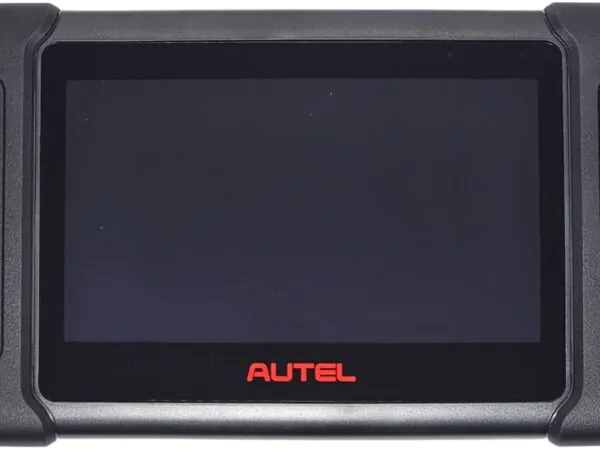
7-Inch LCD Touchscreen
A high-resolution multi-touch LCD screen that delivers a smooth and responsive user experience.
It displays diagnostic data, live readings, system information, and key programming results with exceptional clarity, enabling technicians to navigate easily between menus and functions during vehicle diagnostics or key programming operations.
Ambient Light Sensor
This intelligent sensor automatically detects surrounding light levels and adjusts the screen brightness accordingly.
It ensures optimal screen visibility in bright sunlight or low-light environments, while also conserving battery power for longer operation in different working conditions.
Power LED Indicator
The Power LED displays the device’s charging status, battery level, and system state.
It changes color—green, yellow, or red—depending on battery conditions, allowing the technician to instantly understand the device’s power status without opening any settings.
Vehicle Communication LED
This LED flashes green when the device successfully communicates with the vehicle’s onboard systems.
It confirms that the connection between the IM508S and the vehicle’s ECU is active and stable during diagnostics, scanning, or data reading.
Power LED Color Indicators Explained
Each LED color provides specific information about the device’s battery and operating status:
A. Green Light
- Illuminates when the device is charging and the battery level has exceeded 90%.
- Also lights up when the device is powered on with more than approximately 50% battery remaining.
- Indicates an excellent power level and readiness for extended diagnostic or key programming tasks.
B. Yellow Light
- Displays when the device is charging and the battery level is below 90%.
- Indicates that the device is still in the charging phase and has not yet reached a high charge level.
C. Red Light
- Lights up when the device is powered on and the battery level falls below 15%.
- This is a low-battery warning, signaling the need to recharge immediately to prevent the device from shutting down during critical operations like diagnostics or key programming.
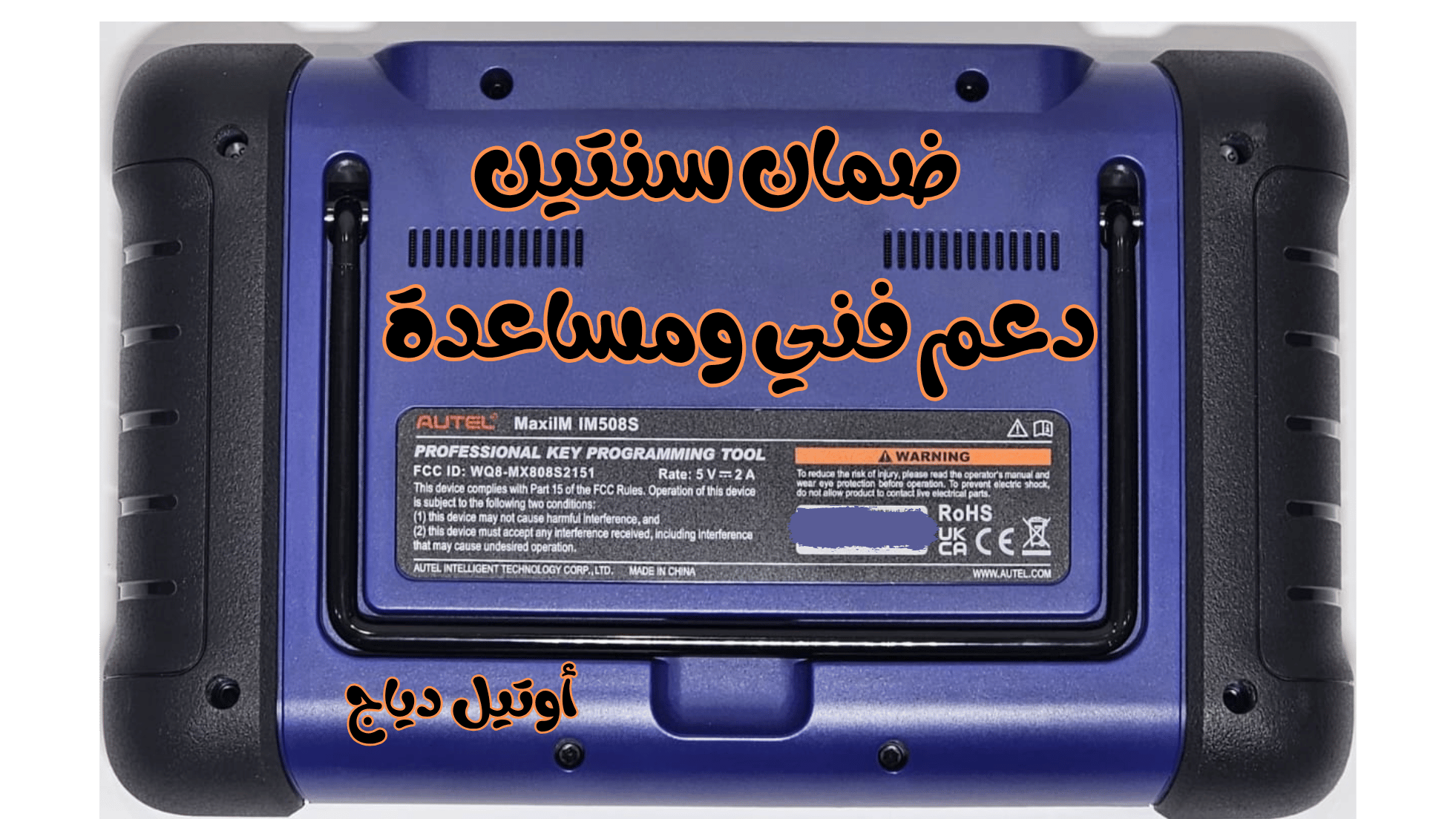
Rear View of the MaxiIM IM508S Car Key Programming Device
Collapsible Stand
A built-in foldable stand that allows the device to stand upright on a table or workbench without needing to be handheld.
This feature is extremely helpful during long diagnostic sessions, reviewing live data, or when the technician needs both hands free.
Heat Sink
A professionally designed heat dissipation system that releases excess heat generated by the processor and internal circuits during intensive use.
It ensures stability, prevents overheating, and maintains high performance even during extended diagnostic operations.
Built-in Battery
The MaxiIM IM508S is equipped with a high-capacity built-in battery that supports long operating times.
This allows technicians to use the device freely anywhere—inside the workshop, outdoors, or at customer locations—without relying on constant access to a power outlet.
The strong battery life is one of the device’s most important advantages, providing mobility, flexibility, and uninterrupted workflow in any environment.
Ports and Buttons of the MaxiIM IM508S
8. Mini USB Port
This port is used to connect the device to a computer or an external power adapter.
Through the Mini USB connection, technicians can transfer data, perform system updates, or supply external power depending on their needs.
9. Micro SD Card Slot
The dedicated slot for inserting a Micro SD card, which is used to expand the device’s storage capacity.
It allows storing diagnostic reports, vehicle data, backup files, and downloading or installing additional updates when needed.
10. DB15-Pin Connector
The primary port used to connect the main diagnostic cable that links the IM508S to the vehicle.
It is responsible for transmitting communication signals, retrieving vehicle data, and interacting with various onboard control modules during diagnostics.
11. USB Port
A versatile USB interface that supports connecting external accessories such as USB flash drives, adapters, or additional diagnostic tools.
This provides greater flexibility and enhances workflow efficiency for professional technicians.
12. Power / Lock Button
- Long Press: Powers the device on or off.
- Short Press: Locks or unlocks the screen without shutting down the system.
This button ensures quick, convenient control during active diagnostic or key programming sessions.
Power Sources of the MaxiIM IM508S
The MaxiIM IM508S Car Key Programming Device can operate using two different power supply options, giving technicians full flexibility whether they are working inside the workshop or on-site in the field.
Internal Battery Pack
The device includes a built-in rechargeable battery that provides up to 7 hours of continuous operation on a full charge.
This long-lasting battery makes the IM508S ideal for mobile automotive technicians and engineers who frequently work outdoors or at customer locations.
External Power Supply
The device can also be powered directly using a Mini USB cable connected to an external power adapter.
In addition to supplying continuous power, this connection simultaneously charges the internal battery, ensuring uninterrupted operation even during long diagnostic or key programming tasks.
Technical Specifications – MaxiIM IM508S Car Key Programming Device
| Item | Description |
|---|---|
| Recommended Use | Indoor |
| Operating System | Android™ 11 |
| Processor | Cortex®-A55 1.8 GHz |
| Memory | 64 GB Internal Storage |
| Display | 7-inch LCD Touchscreen, 1024 × 600 Resolution |
| Connectivity Options | • Mini USB • USB 2.0 • Wi-Fi • Micro SD Slot (supports up to 32 GB) |
| Sensors | Ambient Light Sensor |
| Audio Input/Output | • Input: N/A • Output: Buzzer |
| Power & Battery | • 3.7V / 5000mAh Lithium-Polymer Battery • Charging via 5V Power Adapter |
| Tested Battery Life | Approximately 7 hours of continuous use |
| Battery Charging Input | 5V / 1.5A |
| Power Consumption | 500 mA (with default screen brightness and Wi-Fi enabled) at 3.7V |
| Operating Temperature | 0 to 50°C (32 to 122°F) |
| Storage Temperature | −20 to 60°C (−4 to 140°F) |
| Operating Humidity | 5% – 95% (non-condensing) |
| Dimensions (W × H × D) | 237.8 mm × 148.6 mm × 35.5 mm (9.4″ × 5.9″ × 1.4″) |
| Net Weight | 788 g (2.42 lb) |
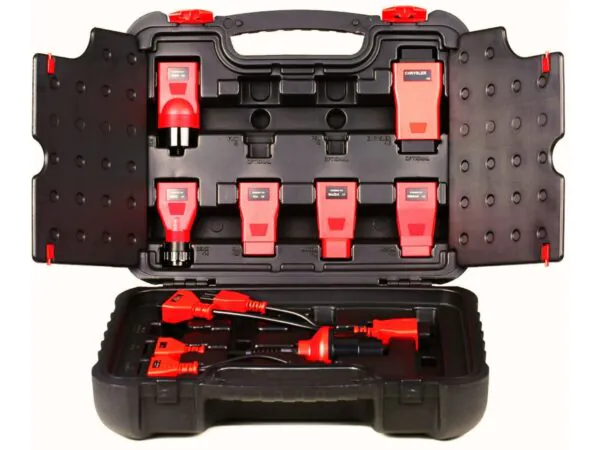
Autel Car Key Programming Device Accessory Kit
Main Cable
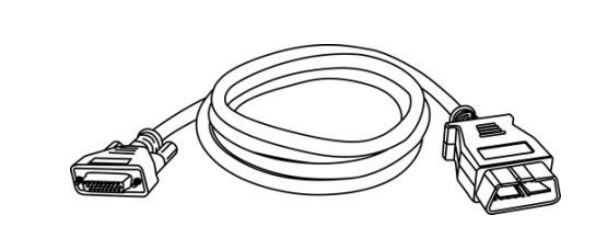
The Main Cable is used to connect the tablet of the Car Key Programming Device to the vehicle’s Data Link Connector (DLC), which is responsible for accessing electronic systems and reading diagnostic information.
It serves as the primary communication bridge between the Autel device and the vehicle during diagnostics or key programming operations.
Other Accessories
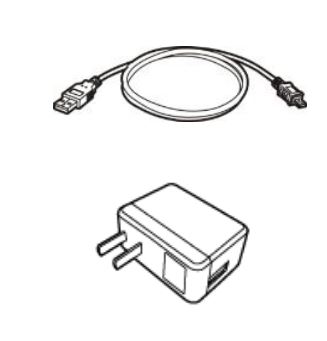
1. Mini USB Cable
This cable has two main functions:
- Connecting the tablet of the car key programming device to a PC for data transfer or software updates.
- Connecting the tablet to the external DC Power Adapter for battery charging and continuous operation.
2. Power Adapter
When used together with the Mini USB cable, the Power Adapter allows:
- Operating the device directly from an external power source.
- Charging the internal battery at the same time.
This accessory is essential for technicians during long working sessions or when the battery is low, ensuring that diagnostic or key programming procedures are not interrupted.
Components and Ports of the Car Key Programming Device
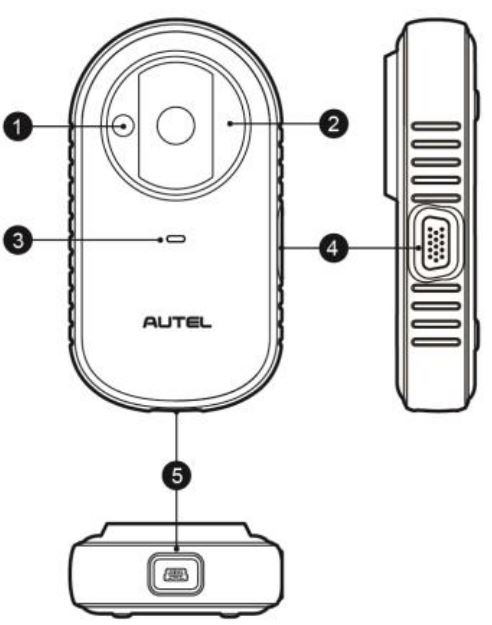
Vehicle Key Chip Slot
This slot is used to insert the vehicle’s key chip for reading or writing new data during the key programming process.
Vehicle Key Slot
The full vehicle key is placed into this slot to read its information, program it, or copy its data to another key.
Status LED Light
The Status LED displays the device’s operating status, such as:
- Reading mode
- Writing mode
- Power status
- Error status
This indicator allows technicians to instantly understand the device’s current operation at a glance.
Connection Port
This port is used to connect the following:
- EEPROM Adapter
- EEPROM Clamp
- Integrated MC9S12 Cable
These tools are essential for reading and writing internal EEPROM memory chips used in vehicle keys and immobilizer systems.
Mini USB Port
This port is used for data transfer and power supply when connecting the device to a computer or an external power source.
Status LED Light (XP200 Key Programmer)
The LED indicator on the XP200 Key Programmer shows the current device status, whether it is in:
- Data Reading mode
- Data Writing mode
- Ready/Standby mode
- Error mode
Status LED Indicator Table
| LED Color | Description |
|---|---|
| Red | • The LED turns red during firmware upgrades or when an error occurs. • It also lights up briefly in red during device startup and self-diagnostic testing. |
| Green | • The LED blinks green when connected via USB cable. • It remains solid green when the device is powered on and ready for use. |
Connection Port
The connection port on the XP200 Key Programmer is compatible with two primary accessories, enabling efficient reading and writing of vehicle EEPROM memory chips:
EEPROM Clamp Integrated MC9S12 Cable
- Used to connect directly to the vehicle’s internal memory chips.
- Allows technicians to read, copy, or modify key data without removing the chip from the circuit board.
- Its integrated MC9S12 cable design ensures faster, safer, and more stable communication, reducing the risk of programming errors.
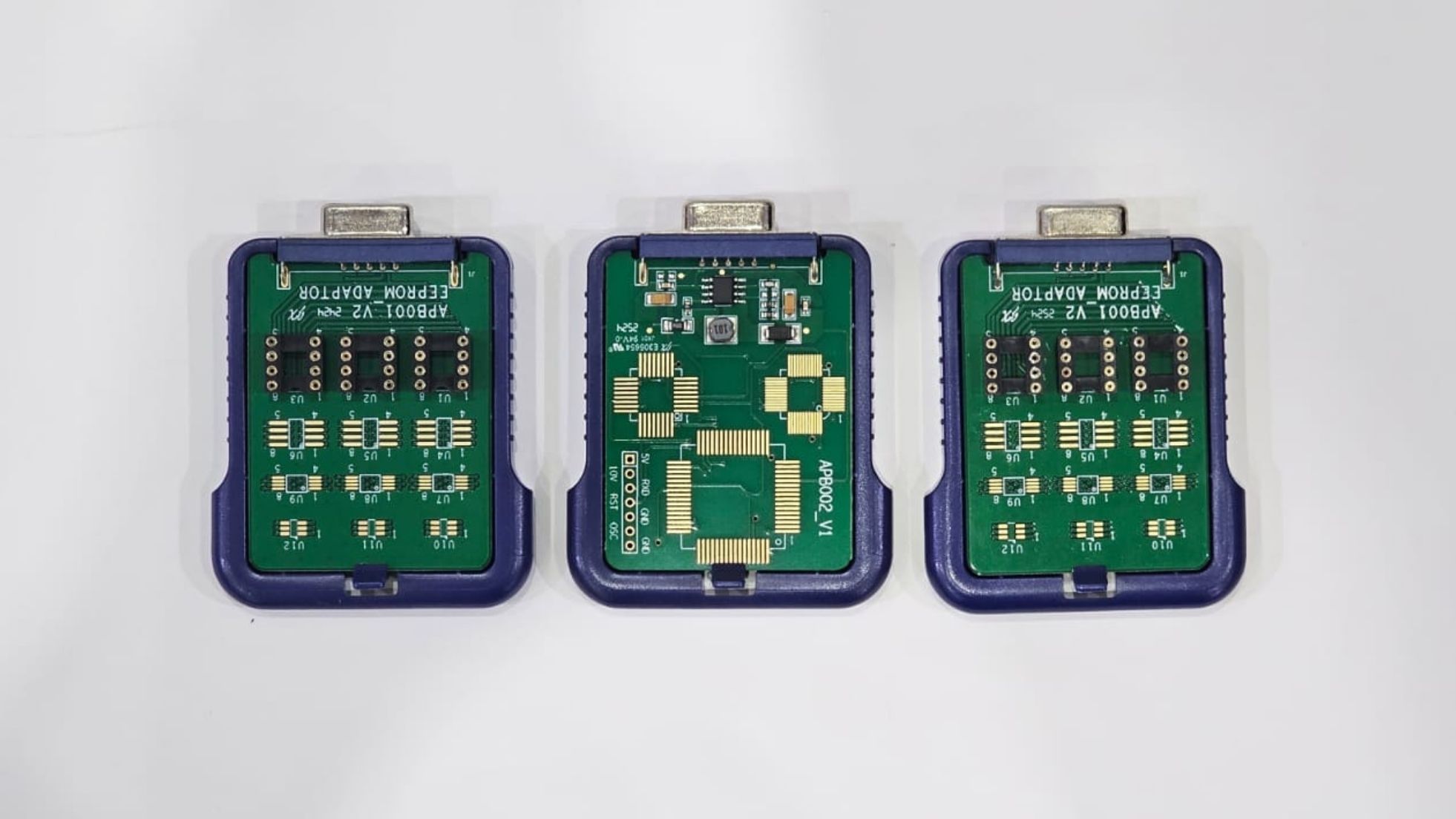
EEPROM Adapter
- Connects to the XP200 via the connection port to support various standalone EEPROM chip types not soldered directly onto the vehicle’s board.
- Provides compatibility with a wide range of vehicle systems.
- Helps technicians perform EEPROM operations quickly, accurately, and with improved workflow efficiency.

MC9S12 Cable – Pin Definitions
MC9S12 Cable Pinout (Definitions of MC9S12 Cable)
| Pin No. | Wire Color | Definition | DB15 Corresponding Pin | Notes |
|---|---|---|---|---|
| 3 | Green | TXCLKS | 1 | N/A |
| 4 | Black | GND | 2 | Shielded line |
| 5 | White | TOSC | 6 | Shielded line |
| 6 | Blue | TSW | 7 | N/A |
| 7 | Brown | GND | 8 | N/A |
| 8 | Yellow | TRESET | 11 | N/A |
| 9 | Red | VDD | 12 | N/A |
EEPROM Clamp Cable – Pin Definitions
EEPROM Clamp Cable Pinout (Definitions of EEPROM Clamp Cable)
| Pin No. | Wire Color | Definition | DB15 Corresponding Pin | Notes |
|---|---|---|---|---|
| 10 | White & Red | P1 | 5 | Pin 1 marked with red |
| 11 | White & Purple | P2 | 15 | N/A |
| 12 | White & Blue | P3 | 10 | N/A |
| 13 | Grey | P4 | 4 | N/A |
| 14 | White & Brown | P5 | 14 | N/A |
| 15 | White & Green | P6 | 9 | N/A |
| 16 | White & Orange | P7 | 3 | N/A |
| 17 | White & Black | P8 | 13 | Pin 8 marked with black |
Causes of EEPROM Read/Write Failures and Data Issues
When connecting the EEPROM Clamp to the test board to perform read/write operations, errors or failures may occur due to several factors:
A. Test Board Circuit Influence
Reading and writing to EEPROM can be affected by the circuit of the connected test board, which may lead to data errors.
B. Clamp Operation Effect on the Test Board
EEPROM read/write operations may be impacted by repeated or rapid operations using the EEPROM Clamp, especially during multiple consecutive attempts.
C. Signal Interference Due to High Resistance
Signals can be corrupted if there is high resistance.
High resistance may occur when connecting the clamp to a high-speed EEPROM or using a long cable, which can lead to read/write errors.
Practical Recommendation:
To ensure the most reliable and accurate data transfer, it is recommended to remove the EEPROM chip from the board and place it in an EEPROM Adapter, or insert it into the dedicated socket on the adapter before connecting it to the device.
This method ensures precise and error-free data reading and writing.
18. EEPROM Clamp
The EEPROM Clamp is used to connect the EEPROM chip directly to the device for read/write operations.
Always follow the guidelines above to ensure data accuracy and prevent corruption.
19. DB15 VGA Port
The DB15 VGA Port provides a connection between the device and other accessories such as:
- EEPROM Clamp
- MC9S12 Cable
This port ensures reliable communication and stable data transfer during programming or diagnostic operations.
EEPROM Adapter
- Compatibility: Supports the three most common 8-Pin EEPROM packages: TSSOP, SOP, DIP.
- Port Redundancy: Each package reserves three identical ports, ensuring device functionality even if one port is damaged.
- SOP8 Package Usage: Place the SOP8 chip into the dedicated socket on the adapter, then insert it into the device. This ensures precise and easy read/write operations.
Using the Autel MaxiIM Car Key Programming Device
Before using the tablet:
- Ensure the battery is fully charged or connect the device to an external power source (see Power Sources section).
- Note: Images and illustrations in this manual may slightly differ from the actual device.
Powering Up the Device
- Press and hold the Power/Lock Button located at the top-right of the tablet to turn on the device.
- The Power LED will light up green indicating the device is on.
- The system will boot and display the Lock Screen.
- Swipe up to unlock the screen and access the main tablet interface.
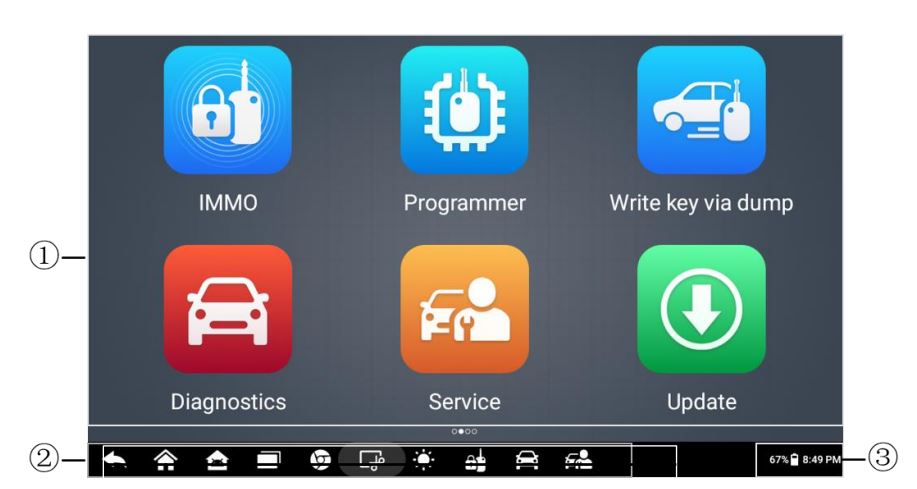
Tablet Interface Components – MaxiIM IM508S
Application Buttons
These buttons provide quick access to all available device functions, including:
- Vehicle diagnostics
- Key programming
- Vehicle-specific functions
They allow technicians to quickly launch any required operation without navigating through multiple menus.
Locator and Navigation Buttons
These buttons facilitate smooth navigation through different menus and sub-windows, enabling faster operation and reducing workflow complexity during diagnostic or programming tasks.
System Status Icons
The system status icons display critical information about the tablet, such as:
- Vehicle connection status
- Battery level
- Wi-Fi connectivity
- Other system alerts and notifications
These icons help technicians monitor the device’s condition at a glance.
Note
The tablet screen is locked by default after powering on. It is recommended to lock the screen when not in use to:
- Protect sensitive information stored in the system
- Reduce power consumption
Touch Screen Navigation
The tablet uses a menu-driven interface, allowing users to access functions quickly by:
- Pressing the application buttons
- Responding to dialog windows and prompts
Detailed explanations of menu structures and the functions of each button are provided in the Application-Specific Chapters of this manual.
MaxiIM IM508S Car Key Programming Device – Button Functions
| Button Image | Button Name | Description |
|---|---|---|
 |
IMMO | Access the IMMO functions menu. For more details, see the IMMO Section. |
 |
Programmer | Access the programming functions menu. For more details, see the Programmer Section. |
 |
Diagnostics | Access the diagnostics functions menu. For more details, see the Diagnostics Section. |
 |
Service | Access the special service functions menu. For more details, see the Service Section. |
 |
Update | Check for available updates for the MaxiIM device and download them. For more details, see the Update Section. |
 |
Settings | Access the MaxiIM system settings menu. For more details, see the Settings Section. |
 |
Remote Desktop | Prepare the device to receive remote support via TeamViewer. For more details, see the Remote Desktop Section. |
 |
Data Manager | Access the data management system to organize stored data on the device. For more details, see the Data Manager Section. |
 |
Support | Sync the Autel online support database with the tablet. For more details, see the Support Section. |
 |
MaxiViewer | Quickly search for functions or supported vehicles. For more details, see the MaxiViewer Section. |
 |
Quick Link | Provides shortcuts to websites related to products, updates, support, and other information for quick access. For more details, see the Quick Link Section. |
Connecting the Autel MaxiIM IM508S to a Vehicle – Practical Steps
Connecting the Autel MaxiIM IM508S to a vehicle is the essential first step to ensure accurate and safe key programming and vehicle diagnostics. The device operates via the standard OBD-II port, allowing technicians to read live data, scan for faults, and perform programming with high precision.
Step 1: Prepare the Vehicle for Connection
Before connecting the IM508S, ensure the following:
- Fully charged vehicle battery: At least 12 volts is recommended to prevent sudden shutdowns during programming.
- Engine off: Engage the handbrake and remove all keys from the ignition to ensure safety.
- Clean OBD port: Check the Data Link Connector (DLC) under the dashboard for dirt or debris, which may interfere with communication.
- Disable vehicle electronics: Turn off radios, lights, or other electronics to avoid interference.
⚠️ Tip: Ensuring a stable power supply and clean connection is critical to prevent ECU corruption or programming failure.
Step 2: Connect the Main Cable
- Insert the Main Cable into the DB15 port on the IM508S device.
- Connect the other end to the vehicle’s OBD-II / DLC port.
- Make sure the connectors are firmly seated to prevent communication dropouts during key programming or diagnostics.
🔹 Pro Tip: Avoid using extension cables unless necessary; long or poor-quality cables can reduce signal quality.
Step 3: Power On and Verify Connection
- Press the Power/Lock button on the IM508S.
- The Power LED should illuminate green, indicating the device is on.
- Wait for the device to automatically detect the vehicle using the Auto VIN Scan function.
- To verify proper communication:
- Navigate to: IMMO > IMMO Status Scan
- If errors appear, reconnect the cable or clean the DLC port.
⚠️ Warning: Never disconnect the cable or power off the device while programming or reading data from the ECU; doing so may permanently damage the vehicle’s electronic control unit.
Step 4: Step-by-Step Vehicle Key Programming with Autel MaxiIM IM508S
Key programming procedures differ by vehicle brand and model, but the IM508S supports two main methods:
Method 1: Automatic Key Programming (Beginner-Friendly & Fastest)
This method is ideal for most modern vehicles and users who prefer guided steps.
Step 1: Launch the Function
- From the main screen, tap IMMO.
Step 2: Select Vehicle
- Choose the manufacturer.
- Tap Automatic Selection to automatically read the VIN (Vehicle Identification Number).
Step 3: System Scan
- Tap IMMO Status Scan to detect any faults.
- Clear any DTC codes using Quick Erase DTC.
Step 4: Add a New Key
- Navigate to Hot Function > Add Key.
- Insert the old key into the XP200 slot (if available).
- Press OK and wait for the message:
“Key added successfully” - Insert the new key into the ignition, then into XP200 for programming.
- To program the remote:
- Use Remote Control Learning
- Press the buttons on the remote until recognized by the system.
🔹 Time required: Typically 5–10 minutes for most vehicles.
Method 2: Manual Key Programming (For Advanced Vehicles)
Used for complex vehicles like BMW, Mercedes, Nissan, or certain Toyota models.
Step 1: Select Vehicle Manually
- Navigate: IMMO > Manual Selection
- Select manufacturer, model, year, and key type (e.g., Smart Key).
Step 2: Read the Key Chip
- Go to Programmer.
- Select Chip Read & Write.
- Insert the chip into XP200 and press Read.
- Save the file using Save.
Step 3: Write Data to New Chip
- Select the saved file.
- Press Write to copy data to a blank chip.
- If errors occur, use EEPROM Adapter + Clamp to ensure signal reliability.
Step 4: Program the Vehicle Immobilizer
- Go to: Control Unit > Immobilizer > Add Key
- Follow on-screen instructions.
- Enter PIN code or ECU password if required.
Practical Examples
Example 1: Toyota Camry 2023 – All Keys Lost
- Connect the device to the vehicle via OBD.
- Select: IMMO → Toyota → Automatic Selection
- Go to Add Key, insert the new key into XP200.
- The device will:
- Read PIN
- Program the new key
- Start the engine to verify.
Time: ~5–10 minutes
Example 2: Nissan Maxima 2022
- Navigate: Manual Selection → Nissan → Maxima → 2022
- Use Universal Smart Key with XP200.
- Steps:
- Read Key Info
- Write to New Key
- Learn Remote
Vehicles Supported by Autel MaxiIM IM508S
The Autel MaxiIM IM508S supports a wide range of vehicles worldwide, including U.S., Asian, European, and Chinese vehicles. It provides advanced functions such as key programming, adding new keys, chip read/write, All Keys Lost, remote learning, and DTC clearing.
1. U.S. Domestic Vehicles
| Make | Supported Models Examples | Approx. Coverage Years | Key Functions |
|---|---|---|---|
| Ford | F-150, Mustang, Explorer, Lincoln (Continental, Navigator) | 1996–2025 | Key Learning (Bypass PIN), All Keys Lost via OBD, 2025+ restrictions |
| GM | Buick, Cadillac, Chevrolet (Silverado, Tahoe), GMC (Sierra), Pontiac, Saturn | 1996–2025 | Add Key, IMMO Reset, Remote Learning |
| Chrysler | Dodge (Charger, Ram), Jeep (Wrangler, Grand Cherokee), Fiat (500) | 1996–2025 | Key Learning (Bypass PIN), All Keys Lost via OBD, AutoAuth for 2017+ |
| Lincoln | MKZ, Aviator | 1996–2025 | IMMO ECU Adaptation |
Notes:
- Ford and GM vehicles support advanced functions like All Keys Lost, which allows programming new keys even when all original keys are lost.
- Some 2025+ models may have limitations due to factory security updates.
2. Asian Vehicles
| Make | Supported Models Examples | Approx. Coverage Years | Key Functions |
|---|---|---|---|
| Toyota | Camry, Corolla, Prius, Lexus (ES, RX) | 1996–2025 | Add Key, Chip Read/Write, All Keys Lost not available in the U.S. |
| Honda | Civic, Accord, CR-V, Acura (MDX, TLX) | 1996–2025 | Key Generation, Remote Add, EEPROM Read |
| Nissan | Altima, Rogue, Infiniti (QX60) | 1996–2025 | All Keys Lost, Smart Key Learning, Nissan 16+32 Adapter |
| Mazda | Mazda3, CX-5 | 1996–2025 | Key Learning (Bypass PIN), Mazda-17 Adapter |
| Subaru | Outback, Forester | 1996–2025 | IMMO Status Scan, Key Add |
| Suzuki | Swift, Vitara | 1996–2025 | Basic Key Programming |
| Hyundai / Kia | Sonata, Tucson, Sorento, Optima | 1996–2025 | IC Chip Keys, KIA-10/20 Adapters |
| Mitsubishi | Outlander, Lancer | 1996–2025 | Remote Learning |
Notes:
- Toyota supports Chip Read/Write for copying or programming key chips, but All Keys Lost may not be available in some countries.
- Nissan may require the 16+32 Adapter for certain Smart Key models.
- Hyundai/Kia and Mazda sometimes require dedicated adapters for IC Chip compatibility.
3. European Vehicles
| Make | Supported Models Examples | Approx. Coverage Years | Key Functions |
|---|---|---|---|
| Volkswagen | Golf, Passat, Audi (A4, Q5), Seat (Leon), Skoda (Octavia) | 1996–2025 | VW MQB NEC35XX Adapter, Chip Read/Write, All Keys Lost |
| BMW | 3 Series, X5, Mini (Cooper) | 1996–2025 | CAS4/3/2 Key Learning, BMW Ethernet Cable |
| Mercedes-Benz | C-Class, E-Class | 1996–2025 | 3rd Gen IMMO, APB112 for All Keys Lost |
| Volvo | S60, XC90 | 1996–2025 | Semi-Smart Key All Keys Lost via OBD |
| Renault | Clio, Megane, Dacia (Duster) | 1996–2024 | Key Learning, All Keys Lost not supported from 2025 |
| Peugeot | 208, 308, Citroen (C3, DS3) | 1996–2025 | PIN Read, Remote Control Add |
| Fiat | 500, Panda | 1996–2025 | IMMO ECU Reset |
| Bentley | Continental | 2000–2025 | Advanced Key Generation |
Notes:
- BMW and Mercedes vehicles may require special cables or tools for All Keys Lost functions.
- VW MQB NEC35XX Adapter simplifies chip read/write for new keys.
- Some European 2025+ models may have restrictions on All Keys Lost for security reasons.
4. Chinese & Other Vehicles
| Make | Supported Models Examples | Approx. Coverage Years | Key Functions |
|---|---|---|---|
| Geely | Emgrand, Boyue | 2010–2025 | Basic IMMO Functions |
| BYD | Qin, Han | 2010–2025 | Key Add, Diagnostics |
| Great Wall | Haval H6 | 2010–2025 | Remote Learning |
| Chery | Tiggo 8 | 2010–2025 | Chip Simulation |
Notes:
- Modern Chinese vehicles support basic and advanced IMMO functions depending on the chip type.
- Some models require Chip Simulation or Key Add for successful key programming.
How to Check if Your Vehicle is Supported
- Directly on the Device:
- Go to IMMO or Diagnostics > Auto VIN Scan
- The device will show if your vehicle is supported and which programming functions are available.
- Online:
- Visit Autel Vehicle Coverage Checker
- Select IM508S, then choose Make, Model, Year.
- Technical Support:
- Send your VIN to [email protected]
- Or use the Autel App for instant verification.
Why Choose to Buy the MaxiIM IM508S from Autel Diag Saudi Arabia – Official Distributor in KSA and the Gulf?
1. Guaranteed Authenticity and Quality
Purchasing the MaxiIM IM508S from the official distributor ensures you receive a genuine Autel product, not a counterfeit or unauthorized version.
All devices sold through the official channel undergo quality inspections and verification before delivery, giving you peace of mind.
2. Local Warranty and Support
- Local warranty in Saudi Arabia and the Gulf allows easy maintenance or replacement without international shipping hassles.
- Technical support in Arabic, simplifying communication and troubleshooting whenever you need assistance.
3. Guaranteed Firmware and Software Updates
Buying from the official distributor guarantees official Autel updates without worries about activation or licensing issues.
Local customers can also benefit from update packages at special rates tailored for the region.
4. High-Level After-Sales Service
- Replacement parts are readily available locally, reducing downtime.
- Continuous technical support for workshops and technicians, including the option to attend local training sessions to master advanced device functions.
5. Fast and Cost-Effective Local Shipping
Shipping within Saudi Arabia and the Gulf is faster and cheaper than ordering from abroad, saving time and avoiding high customs fees.
6. Flexible Payment Options
Official distributors may offer local payment options, such as cash on delivery, Saudi bank cards, or bank transfers.
Access to seasonal promotions like discounts, gifts, or maintenance packages is also available.
7. Legal Documentation and Warranty Proof
- Receive an official invoice, useful for warranty claims or business tax purposes if you run a professional workshop.
- Legal documentation ensures your buyer rights are fully protected locally.
8. Local Training and Educational Resources
- Autel’s official Saudi distributor may organize training courses for technicians to use the device efficiently.
- Access to local educational content in Arabic, including videos and guides, speeds up learning advanced features.
9. Autel Brand Credibility in the Middle East
- Having a local official distributor strengthens your confidence in product quality.
- Local support enhances service response and repair efficiency in case of any technical issues.
10. Long-Term Investment
With local support, software updates, and easy shipping, purchasing from the official distributor becomes a low-risk, long-term investment.
Build a strong technical reputation in your workshop using a reliable and officially supported tool.
Conclusion
The Autel MaxiIM IM508S from Autel Diag Saudi Arabia, the official distributor in KSA and the Gulf, is the ultimate key programming device. Capable of programming all types of keys, All Keys Lost, and Chip Read/Write, it is one of the most valuable and reliable tools in automotive locksmithing.
Contact us today to learn more or request a demonstration.
6457 reviews for The Latest Car Key Programming Device – Autel MaxiIM IM508S
Clear filtersالأسئلة الشائعة
The MaxiIM IM508S is an all-in-one car key programming and diagnostic device designed for professional workshops and technicians. It combines advanced technology with user-friendly features, enabling precise diagnostics of all vehicle systems including immobilizers, smart key programming, and ECU functions. Choosing this device ensures faster, more accurate service, saving time and effort while providing professional-level performance.
The device supports a wide range of vehicles including American, Asian, European, and Chinese cars. Examples include Ford, GM, Toyota, Nissan, BMW, Mercedes, Volkswagen, and Geely, among others. Functions include All Keys Lost programming, key addition, Chip Read/Write, Remote Learning, and IMMO reset. Coverage is regularly updated, and the device can verify support via Auto VIN Scan or the Autel website.
Purchasing the device from Autel Diag KSA, the official distributor, guarantees a 2-year local warranty. This covers all technical defects and ensures free maintenance or replacement if issues arise. The local warranty removes the need for international shipping and provides faster service turnaround in Saudi Arabia and the Gulf region.
The company provides comprehensive technical support in Arabic and English, assisting technicians with setup, diagnostics, software updates, or operational guidance. Support is available via phone, email, and online platforms, ensuring that users can quickly resolve any device-related issue, enhancing workflow efficiency in workshops.
Yes. Buying from the official distributor ensures access to all official Autel software and firmware updates. This guarantees compatibility with the latest car models and systems without worrying about activation issues or licensing restrictions. Some update packages may also be offered at special local rates for Saudi and Gulf customers.
Yes. The purchase includes access to free professional training courses, either online or through local workshops. These sessions cover all device functions, from basic diagnostics to advanced key programming, ensuring technicians fully understand how to maximize the device’s capabilities.
Absolutely. The device is capable of performing All Keys Lost programming for supported vehicle models. This includes reading PIN codes, generating new keys, and synchronizing remote controls. The process is simplified and guided on-screen, reducing human error and ensuring reliability.
The MaxiIM IM508S is designed with a 7-inch touchscreen, intuitive menu navigation, and quick-access buttons for all main functions. It provides clear step-by-step instructions, real-time diagnostics, and on-screen guidance for key programming. This user-centric design minimizes errors and training time for new technicians.
Purchasing from Autel Diag KSA guarantees authentic products, full warranty coverage, authorized software, and official technical support. Unauthorized vendors may sell counterfeit or unlicensed devices, which risk malfunction, missing updates, or lack of support. Official purchase ensures long-term reliability and investment protection.
By consolidating diagnostics, key programming, IMMO functions, and remote learning in one device, technicians can complete tasks faster and more accurately. Real-time data reading, guided procedures, and local support minimize downtime, reduce vehicle return visits, and enhance overall customer satisfaction.
Buying from Autel Diag KSA, the official distributor in Saudi Arabia and the Gulf, guarantees you receive authentic, high-quality Autel products. You avoid counterfeit devices, get full warranty coverage, and benefit from local support and training.
The 2-year local warranty ensures quick repairs or replacements without international shipping delays or extra costs. Customers get peace of mind knowing their investment is fully protected locally.
Yes. Autel Diag KSA offers professional training programs and workshops to help technicians learn the full potential of Autel devices. Training includes key programming, diagnostics, and advanced features, enhancing efficiency and expertise.
Yes. Official buyers receive all firmware and software updates directly from Autel without activation or licensing issues. Updates keep your device compatible with the latest car models and systems.
Local orders are shipped quickly and efficiently across Saudi Arabia and the Gulf. Customers avoid high shipping costs, long delivery times, and customs delays that come with international purchases.
Absolutely. Autel Diag KSA provides technical support in Arabic and English, making it easier for technicians to resolve problems, understand instructions, and get guidance without language barriers.
Yes. Autel Diag KSA ensures full after-sales service, including spare parts, maintenance, and technical guidance. Workshops and technicians benefit from continued support long after the purchase.
Yes. The official distributor often provides seasonal promotions, bundle offers, and training packages for local customers, giving them added value beyond the product itself.
Purchasing locally ensures you have authentic devices, official updates, local support, and training, creating a sustainable investment. Workshops can confidently rely on Autel devices for years, building reputation and client trust.





Sarah Al-Mutairi – Jeddah –
I’ve tried multiple key programmers, but the IM508S exceeds expectations. The interface is intuitive, and the touchscreen is responsive and easy to navigate. Autel Diag KSA’s warranty and local support made the purchase worry-free. Any question I had was answered promptly. This device is not just a tool; it’s a reliable partner for automotive technicians.
John Al-Fahad – Riyadh –
The Autel MaxiIM IM508S is hands down the most advanced key programming device I have ever used. From All Keys Lost functions to Chip Read/Write, it handles everything with incredible speed and accuracy. Purchasing from Autel Diag KSA gave me the confidence of a genuine product and local warranty. Their technical support is top-notch, responsive in Arabic, and always ready to help. Truly a must-have for any professional workshop.
Mohammed Al-Rashid – Khobar –
“As an automotive professional, I value precision tools. The IM508S delivers beyond expectations – All Keys Lost, Remote Learning, and Chip Read/Write are fast and reliable. Local support from Autel Diag KSA is exceptional, with Arabic-speaking experts always ready to assist.”
Faisal Al-Dossary – Dammam –
The MaxiIM IM508S is a game-changer for car key programming. It’s versatile, fast, and reliable across multiple car brands. Buying from Autel Diag KSA means I get the official product, firmware updates, and local Arabic support. Their warranty and responsive service make this device not only high-performing but also a safe investment.
Khalid Al-Fahad – Riyadh –
“The Autel MaxiIM IM508S is absolutely phenomenal. Programming keys, performing All Keys Lost, and Chip Read/Write functions are seamless. Purchasing through Autel Diag KSA gave me peace of mind with a genuine product and local warranty. Their technical support is fast, professional, and in Arabic, which makes troubleshooting effortless.”
Ahmed Al-Qahtani – Dammam –
As a professional automotive technician, I rely heavily on accurate key programming tools. The IM508S never disappoints. The device works flawlessly for All Keys Lost situations, and the data transfer is fast and reliable. Autel Diag KSA’s local warranty and Arabic support make it an easy decision to buy from them, knowing I am fully covered
Huda Al-Shammari – Khobar –
I cannot recommend the Autel MaxiIM IM508S enough. The touchscreen is smooth, functions are intuitive, and programming keys is effortless. Having Autel Diag KSA as the official local distributor is reassuring. Their warranty, updates, and technical guidance ensure my workflow is uninterrupted, making this device invaluable.
Mohammed Al-Saud – Riyadh –
Autel MaxiIM IM508S is exceptional in every way. From the quality of the hardware to the software updates, it works perfectly. I especially appreciate the local support from Autel Diag KSA. Their team helped me resolve setup questions immediately, and the warranty ensures my investment is secure. Highly recommended for any workshop.
Saleh Al-Fahmi – Riyadh –
“Autel MaxiIM IM508S is unmatched in quality and functionality. All Keys Lost, Chip Read/Write, and remote learning are efficient and user-friendly. Local warranty and technical support from Autel Diag KSA in Arabic make it a top choice for professionals.”
Saud Al-Fahmi – Riyadh –
From setup to daily use, the IM508S performs flawlessly. Its wide coverage for US, European, and Asian cars is impressive. Autel Diag KSA provides real local support and warranty, which adds enormous value. Knowing that any issues will be handled promptly in Saudi Arabia gives me complete confidence in this purchase.
Nasser Al-Dossary – Dammam –
“I highly recommend the Autel MaxiIM IM508S for any professional workshop. Its All Keys Lost function works flawlessly, and connecting to vehicles is effortless. The local support and warranty from Autel Diag KSA make it a reliable and risk-free investment.”
Majed Al-Qahtani – Jeddah –
“The IM508S is a game-changer for key programming. Fast, reliable, and versatile, it covers multiple car brands with ease. Buying through Autel Diag KSA ensures genuine product, local warranty, and professional support in Arabic. Highly recommended for workshops in Saudi Arabia.”
Fahad Al-Qahtani – Dammam –
“The MaxiIM IM508S is a robust and highly accurate device. Its All Keys Lost function has saved me countless hours. Buying from Autel Diag KSA ensures genuine firmware updates and local warranty service. I can confidently rely on this device every day.”
Saud Al-Saud – Riyadh –
“Autel MaxiIM IM508S is the most reliable key programming device I’ve ever used. Firmware updates and technical support from Autel Diag KSA are quick and hassle-free. The local warranty ensures my investment is secure, and the device covers a wide range of car brands efficiently.”
Abdullah Al-Harbi – Jeddah –
“The IM508S is powerful and intuitive. Programming new keys or performing Chip Read/Write is smooth and accurate. Autel Diag KSA provides excellent local warranty and technical support in Arabic, which adds great value to the purchase.”
Turki Al-Shammari – Khobar –
“Using the IM508S has made key programming tasks much easier and faster. The device is precise, and updates are smooth. Autel Diag KSA’s support team is extremely helpful, offering Arabic guidance and local warranty, which ensures I can work without interruption.”
محمد علي –
مشكورين ماقصرتوا
رجب الدمام –
اشتريت من شركات كثير بس انتوا احسن ناس في الدعم والمعاملة الحسنة شكرا مهندس احمد
محمد العتيبي – الرياض –
خدمة ممتازة، الجهاز استجاب بسرعة والتحديث تم في نفس اليوم، أنصح الجميع.
سلمى الحربي – جدة –
الفريق تعامل بلُطف وشرح كل الخطوات بوضوح. التحديث أحدث فرقاً في أداء سيارتي.
مشعل القحطاني – مكة المكرمة –
شكراً أوتيل الخليج على اهتمامكم بالعملاء. الدورة كانت ممتازة والمحتوى متقن، والتعامل راقٍ من أول اتصال حتى التسليم.