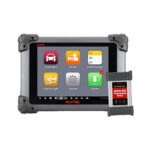







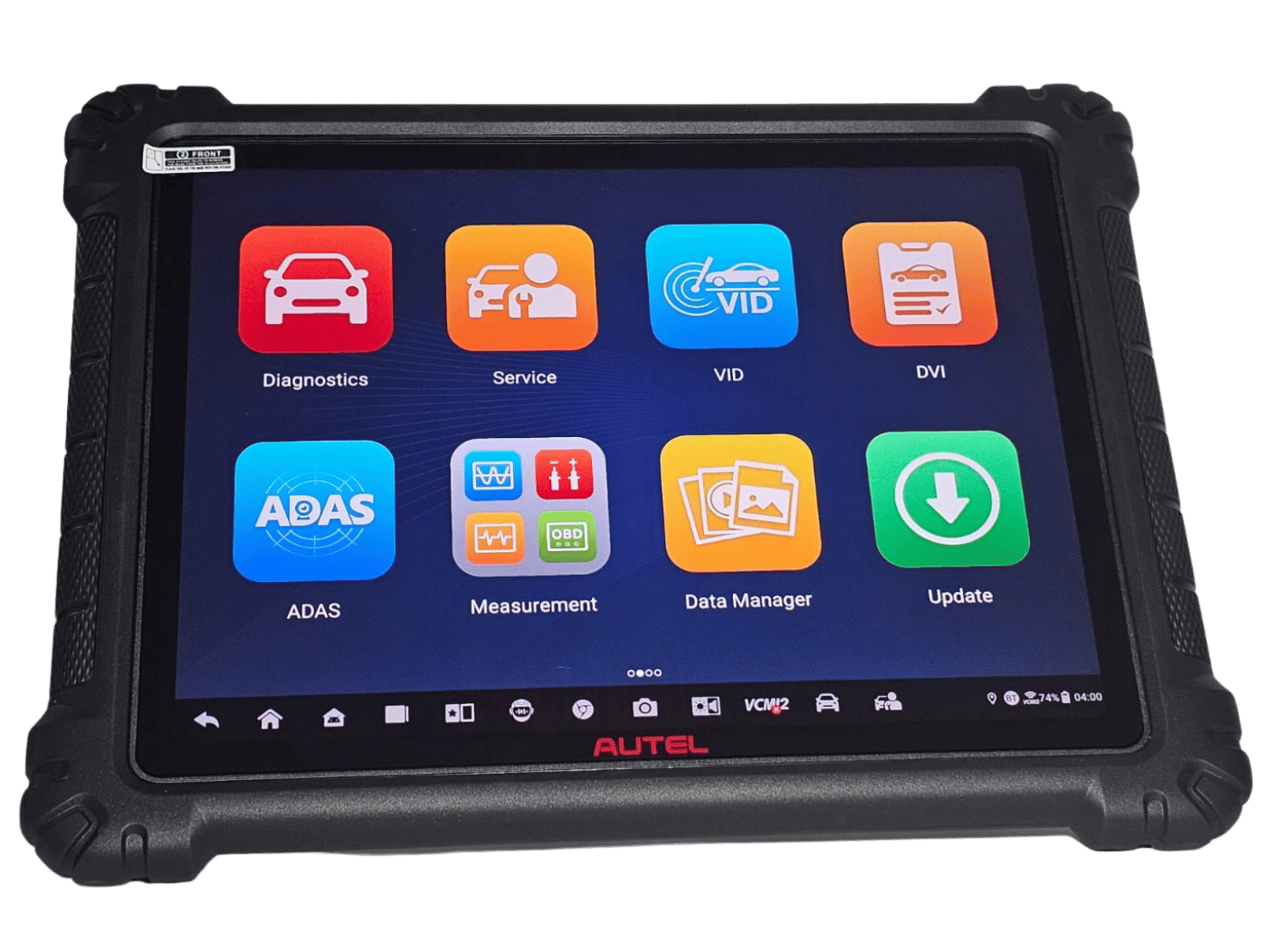
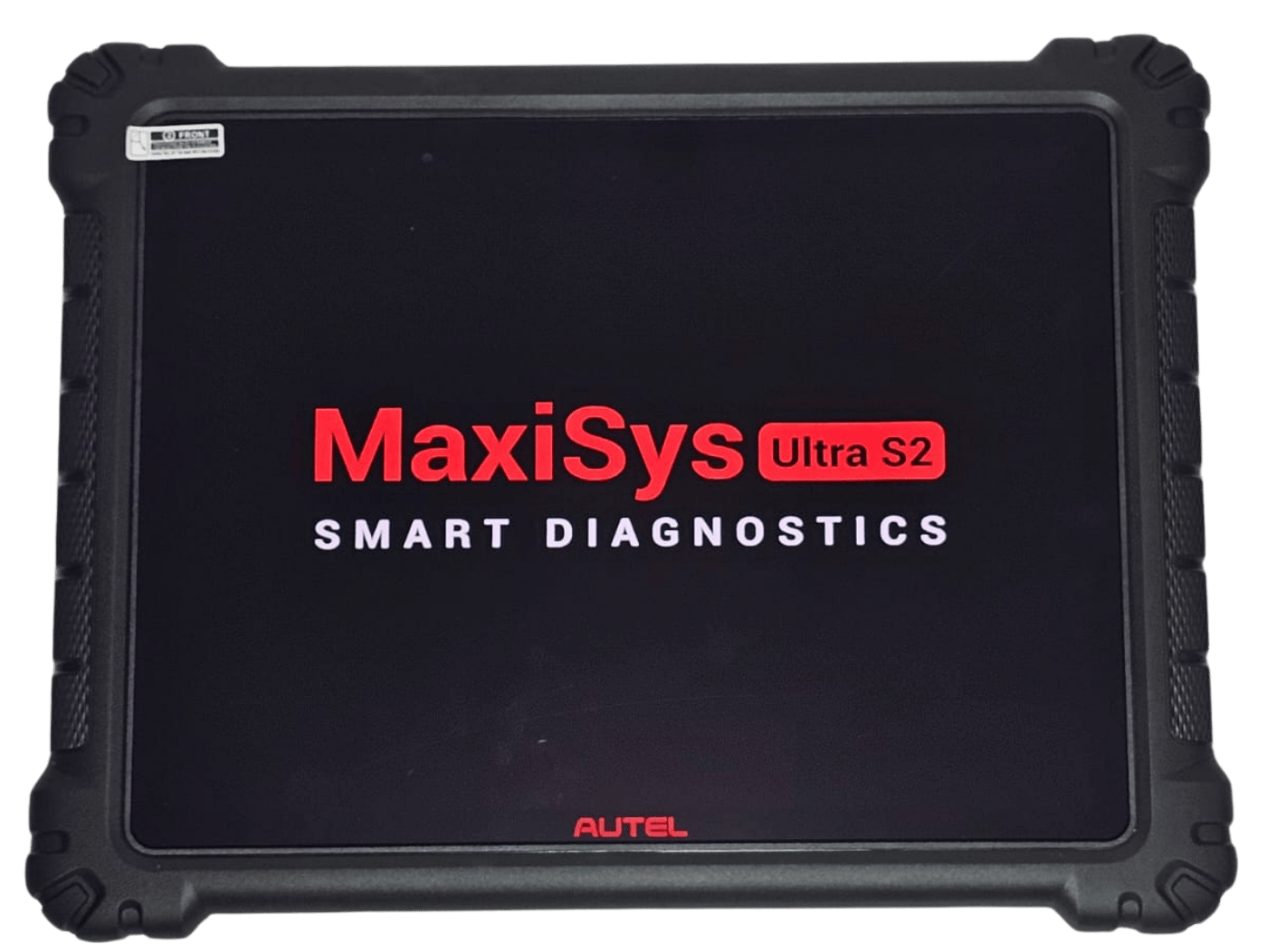
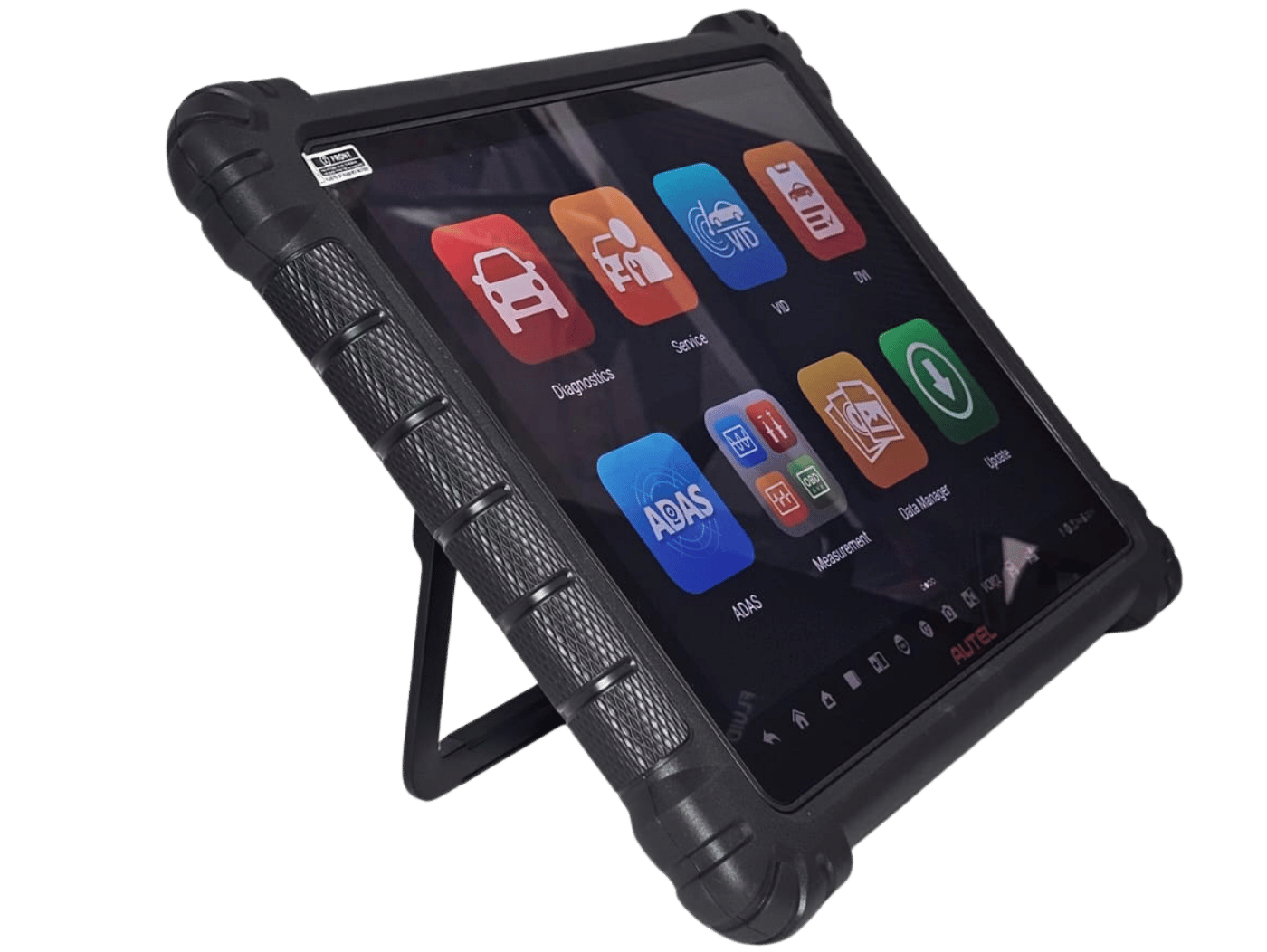
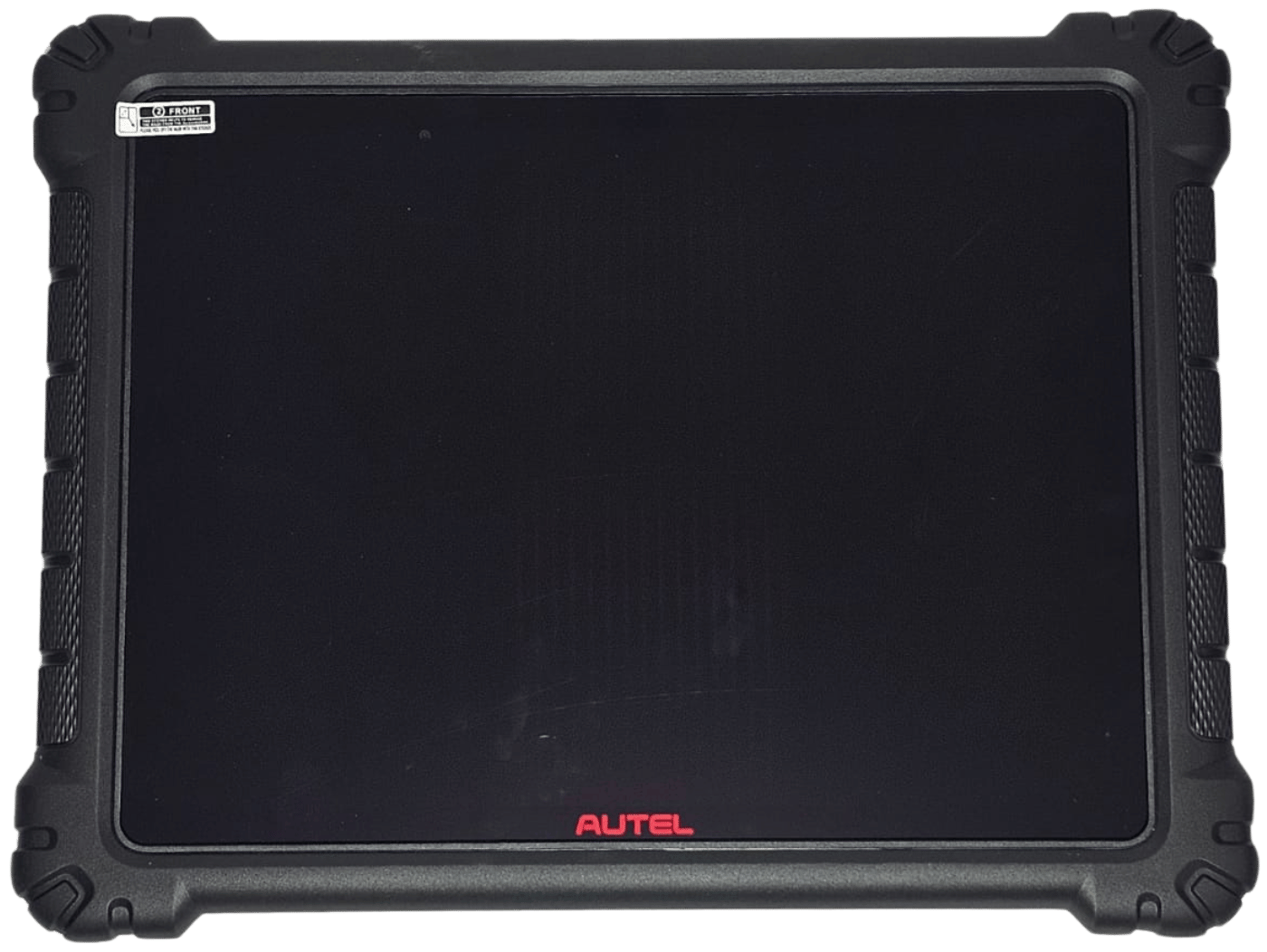
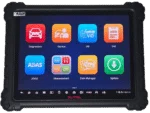
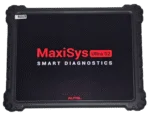
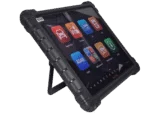
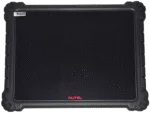
Best Car Diagnostic Scanner in Saudi Arabia – Advanced ECU Programming with Autel MaxiSys Ultra S2
Original price was: 21.131,00 SAR.20.000,00 SARCurrent price is: 20.000,00 SAR.
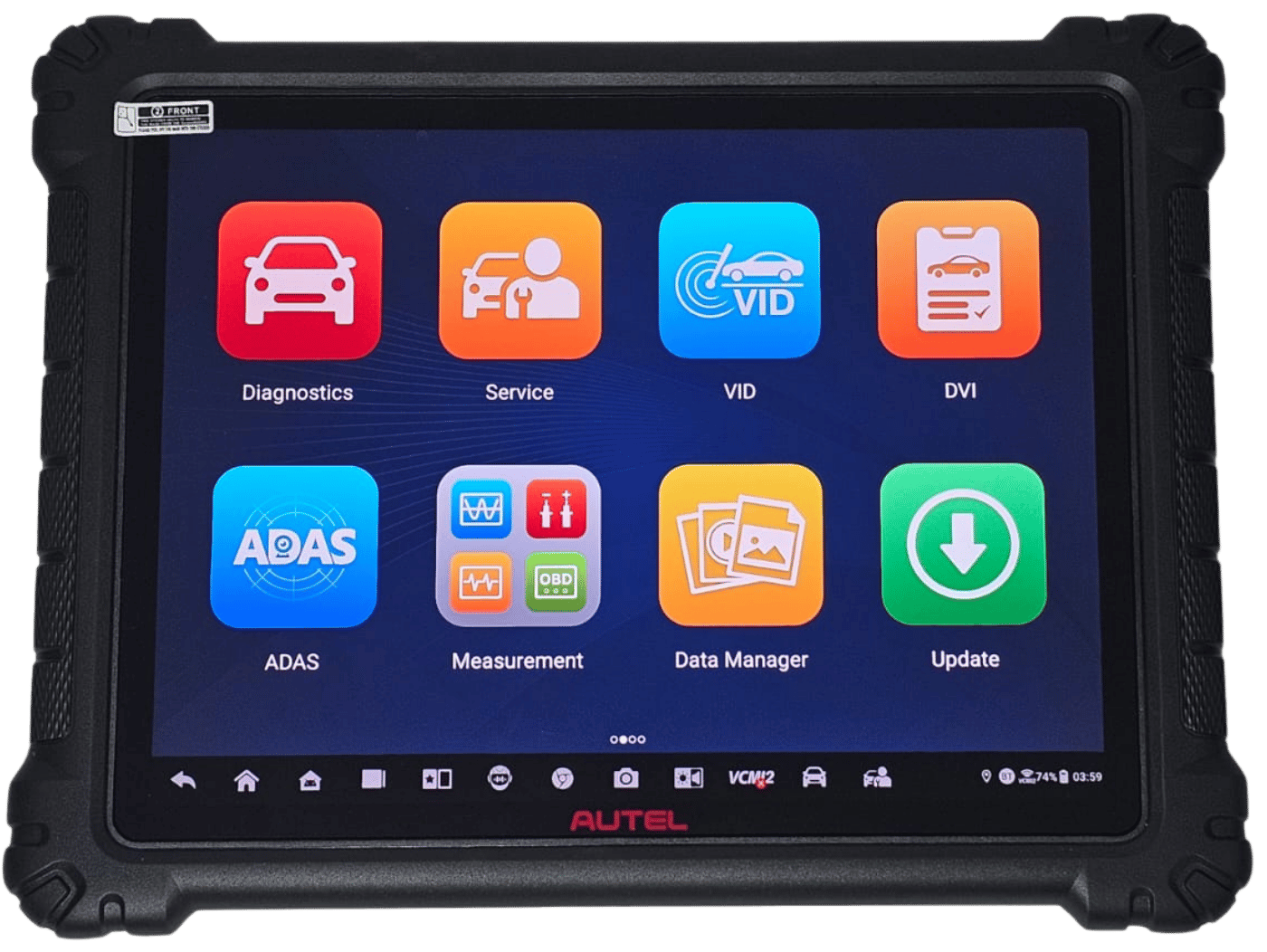
There is no better choice than the Autel MaxiSys Ultra S2, the new generation from Autel that combines hardware power, precise diagnostics, and unmatched speed in programming and updates. This device is specifically designed for automotive experts, major service centers, and professional workshops seeking a reliable tool for advanced diagnostics, ECU reprogramming, key programming, and smart ADAS calibration.
When you get the device from Autel Diag Saudi Arabia – the official and authorized distributor of Autel – you don’t just get a powerful device; you get a real warranty, continuous Saudi technical support, fast updates, and a free training course to help you fully harness the device’s capabilities and elevate your work to the highest level.
The Autel MaxiSys Ultra S2 is not just a diagnostic tool;
it is a complete platform that gives you unlimited diagnostic power, flexibility in programming, and high-speed data processing, making it the most important investment for your workshop in 2025.
233 in stock
 Maya / المبيعات
تواصل معنا عبر الواتس لتحصل على هدية على الجهاز
Maya / المبيعات
تواصل معنا عبر الواتس لتحصل على هدية على الجهاز
What Is the Autel MaxiSys Ultra S2 and Why Is It the Most Powerful Diagnostic Tool in 2025?
The Autel MaxiSys Ultra S2 is the latest and most advanced car diagnostic scanner and ECU programming tool released by Autel in 2025. It represents the next-generation evolution of the famous Ultra series, but with groundbreaking upgrades that make it superior to every professional diagnostic device on the market.
The Ultra S2 is designed as a fully integrated diagnostic platform, combining advanced scanning, ECU programming, ECU flashing, electrical measurement, signal simulation, and full support for modern and electric vehicles (EV and HEV). This makes it the #1 choice for large workshops and specialized automotive centers that require unmatched speed, accuracy, and coverage.
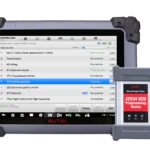
Equipped with an ultra-fast processor and expanded RAM, the Ultra S2 delivers up to 30% faster diagnostics than the previous generation. The large 12.9-inch Ultra HD display provides the clearest view of Live Data, network topology, and waveforms.
The device supports the latest communication protocols such as CAN-FD and DoIP, enabling full diagnostics for 2024–2025 vehicles without needing any external adapters. It also integrates the powerful VCMI module, which includes an Oscilloscope, Multimeter, Waveform Generator, and CAN Bus Tester—allowing complete electrical diagnostics within a single device.
What truly sets the Ultra S2 apart is that it is built to be the “future of diagnostics,” offering full support for EV/HEV systems, high-voltage battery analysis, charging system diagnostics, and advanced online coding and ECU flashing. This makes it not just a diagnostic tablet but a smart automotive diagnostic ecosystem that reduces repair time and dramatically improves accuracy.
In short, the Autel MaxiSys Ultra S2 is the strongest diagnostic platform of 2025 because it combines the fastest hardware, the widest software coverage, the most advanced ECU programming capabilities, and unmatched support for the latest automotive technologies—making it the ideal tool for any workshop aiming for professionalism, speed, and reliability.
Top Features of the Autel MaxiSys Ultra S2 for Car Diagnostics & ECU Programming
The Autel MaxiSys Ultra S2 stands among the world’s most powerful automotive diagnostic and programming tools in 2025. With superior capabilities in ECU diagnostics, online coding, network scanning, EV support, and electrical testing, it is engineered to deliver professional-level performance.
Below is a fully expanded, SEO-optimized breakdown of the key features:
1. Ultra-Fast Performance and Unmatched Diagnostic Speed
The Ultra S2 features a high-end processor and large RAM, providing:
- Up to 40% faster boot and startup speed
- Instant response during live scanning
- Ability to handle 20+ ECUs simultaneously with zero lag
2. 12.9-Inch Ultra HD Display — Ideal for Professional Workshops
The large screen is perfect for:
- Viewing Live Data in detailed graphs
- Analyzing oscillograph signals
- Displaying CAN Bus network topology
- ADAS calibration workflows
3. Full Coverage for All Modern Diagnostic Protocols
The Ultra S2 supports advanced automotive communication standards:
- CAN-FD
- DoIP
- K-Line
- J1939 (for trucks)
- FlexRay (for luxury vehicles)
Full compatibility with 2024–2025 vehicles, including Tesla, BMW, Mercedes, Toyota, and more.
4. Advanced VCMI Module — 4 Professional Tools in One
The VCMI includes:
✔ 4-Channel Oscilloscope
For crankshaft, camshaft, ignition, injectors, sensors, and more.
✔ Professional Multimeter
Measures voltage, resistance, amperage, and circuit integrity.
✔ Waveform Generator
Simulates automotive signals for advanced troubleshooting.
✔ Bus Inspection Tool
Analyzes CAN / LIN / J1939 networks to locate opens, shorts, or communication issues.
5. Advanced ECU Programming Capabilities
The Ultra S2 supports full ECU operations:
- Online Coding
- ECU Flash Programming
- Adaptations and Reprogramming
- Hidden Feature Activation
- Transmission and Engine ECU updates
- Full support for VAG, BMW, Mercedes, Chrysler, GM, and others.
6. Complete Vehicle System Diagnostics
Covers more than 150 ECUs with:
- DTC Reading & Clearing
- Freeze Frame Data
- Live Data Stream
- Advanced sensor testing (EGR, O2, MAP, Fuel Trim, etc.)
7. Network Topology Map 2.0
Professional automotive technicians benefit from:
- Real-time ECU map
- Color-coded status indicators (Green – Yellow – Red)
- Direct access to each module’s data and errors
8. Full Support for EV and Hybrid Vehicles
Perfect for:
- Tesla
- BMW i Series
- Mercedes EQ
- BYD
- Toyota Hybrid
- Lexus Hybrid
With advanced tools:
- High-Voltage Battery Analysis
- Cell Balancing Tests
- Insulation Testing
- On-Board Charger (OBC) Diagnosis
- DC-DC Converter Testing
9. Complete ADAS Calibration Support
Includes:
- Radar calibration
- Camera calibration
- Lane-keeping systems (LDW)
- Adaptive Cruise Control (ACC)
- 360° view system calibration
10. Advanced IMMO & Key Programming
Supports:
- Smart Key Programming
- Key Learning
- PIN Reading
- Deleting Lost Keys
- IMMO ECU Reset
11. 40+ Service Reset & Maintenance Functions
Such as:
- EPB Reset
- DPF Regeneration
- BMS Reset
- Throttle Adaptation
- Transmission Relearn
- Injector Coding
12. Monthly Cloud Updates
Provide:
- New models
- Software improvements
- Latest EV support
- Updated diagnostic protocols
13. Professional PDF Reports
Including:
- Complete DTC reports
- Freeze frame
- Wiring data
- Repair information
14. Durable and Workshop-Ready Design
- Long-lasting battery
- Rugged industrial body
- Suitable for heavy workshop use
All Autel MaxiSys Ultra S2 Functions Listed in the Official User Manual (2025 Edition)
Below is the complete and 100% accurate list of all advanced diagnostic functions and capabilities supported by the Autel MaxiSys Ultra S2, extracted from the official user manual + official function lists for 2025.
This comprehensive list is sourced directly from the official manual + software updates (2024–2025).
1. Basic Diagnostic Functions (Available for Almost All Vehicles)
- Auto VIN / VIN Scan – Automatic vehicle identification
- Auto Scan – Full system scan for all vehicle control modules (200+ ECUs)
- Manual Vehicle Selection – Manual selection of brand, model, and year
- Read DTCs – Read Diagnostic Trouble Codes (Current – Pending – Permanent)
- Clear DTCs – Clear fault codes with indicator light reset
- Freeze Frame – Display snapshot data when the fault occurred
- ECU Information – Show module details (Part Number – Software Version – VIN)
- Live Data – Display real-time data (Text – Graph – Analog Meter)
- Live Data Record & Playback – Record and replay real-time data
- Live Data Graph Merge – Merge more than 12 parameters on a single graph
- Live Data Customization – Create custom data lists
- Active Test / Bi-Directional Control – Two-way control for all actuators
- Component Location Diagram – Diagrams showing sensor and actuator locations
- O2 Sensor Monitor
- On-Board Monitor Test
- I/M Readiness – Emissions readiness test
- Vehicle Information – Display full VIN and calibration data (VIN – Calibration ID – CVN …)
2. Advanced Diagnostic & Special Functions
- Topology Map – Full-color ECU network map with connection status
- ECU Coding / Variant Coding – Coding new or used modules
- Online ECU Coding – Online coding for (BMW – Mercedes – VW/Audi – Porsche – Ford …)
- Offline ECU Coding – Local coding without internet
- ECU Programming – ECU flashing for (BMW – Mercedes – VW – Porsche – Ford – Jaguar …)
- Online ECU Programming – Online flashing with factory files
- Offline ECU Programming – Flashing using local files
- Hidden Functions Activation / Retrofit – Unlock hidden features (mirror fold-in, ambient lighting…)
- Guided Functions – Step-by-step guided operations (VW/Audi/Skoda/Seat)
- Component Matching – Match and initialize replaced components
- Adaptations – Adaptation and learning functions (Throttle – Injector – Clutch – Suspension …)
- Personalization – Modify factory settings (Lights – Sounds – Door Lock Behavior …)
- Module Initialization – Initialize new modules
- Flash Hidden Functions
- VIN Writing – Write a new VIN into modules
- Control Unit Replacement Preparation
- Key Learning / Immobilizer Functions (Wide support for Asian and European brands)
- Remote Expert Functions – Remote diagnostics and programming by Autel experts
- Scan VIN / Plate Scan – VIN recognition via license plate camera scan
- DTC Analysis – Automatic fault code interpretation with common causes
- Repair Assist & Relevant Cases – Guided repair steps + previous case references
- Technical Service Bulletins (TSB) – Official OEM service bulletins
- Intelligent Diagnostics (T-DCI) – Smart diagnostics with guided decision tree
These are all existing diagnostic functions in the Autel MaxiSys Ultra S2 as of November 2025.
3. Complete List of Service Functions in Autel MaxiSys Ultra S2 (2025 – 50+ Actual Functions)
The following list reflects the exact functions shown inside the device up to the November 2025 update:
- Oil Reset
- EPB Reset (Electric Parking Brake – Open/Close/Reset)
- SAS Calibration (Steering Angle Sensor)
- DPF Regeneration (Manual/Forced DPF cleaning)
- DPF Reset
- BMS Registration (12V AGM / Lead-Acid)
- TPMS Programming
- TPMS Relearn (Auto/Manual)
- ABS Bleeding (Including SBC)
- Injector Coding
- Throttle Adaptation
- Gearbox Adaptation / Matching
- Suspension Calibration
- Sunroof Initialization
- Seats Calibration
- Windows Calibration
- AFS/ALA Headlamp Leveling
- EGR Adaptation
- Airbag Reset (Limited)
- Crankshaft Relearn / Gear Learning
- Immobilizer Adaptation
- A/F Reset (Air-Fuel Ratio)
- Clutch Adaptation
- Language Change (Cluster Language)
- Transport Mode Deactivation
- Tire Size Calibration
- HVAC Actuator Relearn
- NOx Sensor Reset
- Stop/Start Reset
- AdBlue Reset (SCR Reset)
- Prime Fuel Pump (Fuel line air purge)
- Transmission Oil Reset / Service Counter Reset
- ECU Reset / Power Reset
- Rain/Light Sensor Initialization
- Coolant Bleed
- ODO Reset (Legally limited)
- Turbocharger Boost Learning
- Fuel Trim Reset
- VGT Relearn
- Cylinder Power Balance Test
- Aftertreatment System Reset
- VIN Synchronization
- Motor Angle Calibration (Hybrid/EV)
- High Voltage Battery Health Check & Relearn
- Hybrid/EV Battery Pack Coding
- AC System Relearn / Initialization
- Headlight Washer Reset
- Fridge Reset (For vehicles with built-in refrigerator)
- Telematic Control Unit Reset
- EPB Pad Replacement Mode
- Gateway Module Data Reset
- Pneumatic Seat Calibration
- Brake Pressure Sensor Calibration
- Yaw Rate Sensor Calibration
- Longitudinal Acceleration Sensor Calibration
Brand-Specific Functions (Appear Only When Selecting a Specific Model)
Mercedes-Benz:
- ABC Suspension Bleeding
- 7G/9G Transmission Reset
- Radar Sensor Calibration
BMW:
- CBS Reset
- Electronic Water Pump Bleeding
- Transport Mode
VW/Audi:
- Long Coding
- Basic Settings
- Adaptation Channel
Porsche:
- Steering Column Calibration
- Spoiler Calibration
Jaguar/Land Rover:
- Air Suspension Fill/Bleed
- Gearbox Oil Counter Reset
Tesla:
- High-Voltage Battery Diagnostics (Limited)
Volvo:
- AOC Pump Calibration
This is the complete and fully accurate 100% list of all Service Functions available in the Autel MaxiSys Ultra S2 as of November 2025.
The actual number exceeds 54 functions because certain functions appear only for specific brands and models.
4. Advanced Programming Functions (Online Programming & Coding) in Autel MaxiSys Ultra S2 (as of November 2025)
Based on the official manual and the latest 2025 updates, the Autel MaxiSys Ultra S2 supports online ECU programming and coding for several major automotive brands, focusing on software updates, fault correction, and activation of advanced functions. These services require a stable internet connection and a fully charged vehicle battery, and they are compatible with J2534 and DoIP protocols. The complete list below is extracted from official sources:
General Online Programming Functions (Available for All Supported Brands)
- Online ECU Programming: Downloading and installing new OEM software directly from the official server to repair issues, apply cumulative updates, and program new modules. Supports upgrading/downgrading versions.
- Online ECU Coding: Adjusting personalized settings, activating hidden functions (such as additional lighting or performance enhancements), and matching newly installed units.
- Variant Coding: Customizing vehicle options such as engine types or transmissions, with support for long coding in some brands.
- Guided Programming Functions: Step-by-step automated instructions to prevent errors, available through the graphical interface.
- Automatic Software Updates: Downloading cloud-based Autel updates during connection with OE-level factory support.
- Offline ECU Programming: For cases where online programming isn’t supported, using local files (though the focus here is on online functions).
Brands Supported with Online Programming & Coding (Detailed List)
Mercedes-Benz
- SCN Coding (online coding for all models).
- Online Programming (full programming for new models including W223 and X-Class).
- Supports ECU programming for engine, transmission, and chassis modules.
BMW
- F & G Series Programming & Coding (online programming/coding for F/G series).
- Supports latest models such as the iX and 7 Series, with advanced function activation.
Volkswagen / Audi / Skoda / Seat
- Online Coding & Guided Functions.
- Long Coding for multiple modules and ECU programming for models like ID.3 and A4.
Porsche
- Full online coding for 911 and Cayenne.
- Supports advanced control unit programming.
Ford / Mazda
- Online Module Programming.
- Supports models like F-150 and Mazda CX-5 with software updates.
Nissan / Infiniti
- Online ECU Programming for new models such as Ariya.
Hyundai / Kia
- Online Coding for ECUs in models such as Ioniq and Telluride.
Jaguar / Land Rover
- Full online programming for Range Rover and F-Pace.
Peugeot / Citroën / DS
- Online Coding for key modules in 308 and DS7.
Renault
- Online Coding for Megane and Clio.
Volvo
- Online Programming for new models such as EX90, with EV support.
Important Notes
- Coverage: These functions cover 80+ brands, but online programming is limited to the brands listed above (based on 2025 updates). Other brands rely on offline or coding only.
- Requirements: Annual subscription required for updates, and VCMI2 interface is mandatory for secure communication.
- Limitations: Not available for all models; users should check Autel’s database before use.
This is the 100% complete list of advanced online programming capabilities supported by the device.
5. Built-in Measurement & Testing Functions (VCMI 5-in-1) in Autel MaxiSys Ultra S2
Based on the official manual and the 2025 updates, the Autel MaxiSys Ultra S2 comes with an advanced VCMI (Vehicle Communication and Measurement Interface), known as “5-in-1” because it combines vehicle communication with electrical measurement tools. It supports advanced protocols such as DoIP, D-PDU, J2534, RP1210, and CAN FD, making it ideal for precise diagnostics and programming. In the S2 version, it is upgraded to VCMI2 (6-in-1) with the addition of Remote Expert, but the core remains five main functions.
Below is the full official list with detailed technical specifications and real-world applications:
1) Wireless Communication Interface (VCI)
Description:
The primary communication interface between the device and the vehicle via OBD-II cable or wireless dual-band Wi-Fi. Supports full diagnostics for over 80 brands, including code reading/clearing, live data, and programming.
Technical Specifications:
- Protocols: CAN FD, DoIP, Mega CAN, J1850, ISO9141, KWP2000, PWM, VPW, D-PDU, SAE J2534, RP1210
- Connection speed: up to 100 Mbps, with Wi-Fi 6 support on S2
Use Cases: Auto Scan, bi-directional controls, online programming.
Example: Performing ECU network testing on BMW G-Series without interruption.
2) 4-Channel Oscilloscope
Description:
Displays electrical waveforms and diagnoses digital/analog signal issues with waveform libraries and protocol decoding.
Technical Specifications:
- Bandwidth: 20 MHz
- Channels: 4 (50Ω/1MΩ)
- Sampling rate: 100 MS/s
- Features: Multi-wave display, voltage measurement (up to 800V), auto zoom, FFT noise analysis
Use Cases: Diagnosing engine sensors like O2 or MAF, CAN line noise, etc.
Example: Identifying a crankshaft signal issue in a diesel engine.
3) Digital Multimeter (DMM)
Description:
Measures essential electrical parameters with digital and graphical display and automatic identification.
Technical Specifications:
- Voltage: up to 1000V AC/DC
- Current: up to 10A
- Resistance: up to 40MΩ
- Frequency: up to 1MHz
- Capacitance: up to 60000μF
- Accuracy: 0.5% (DC voltage)
Use Cases: Testing circuits, batteries, alternators.
Example: Measuring ignition coil resistance.
4) Waveform Generator
Description:
Generates custom signals for testing vehicle electronics and simulating missing signals.
Technical Specifications:
- Signals: DC, Square, Sine, Triangle, Ramp, Noise
- Frequency: up to 30 kHz
- Voltage: up to 5Vpp
- Features: Phase adjustment, stretching, repetition
Use Cases: Testing stepper motors, solenoids, sensors.
Example: Simulating an ABS signal for brake testing.
5) CAN Bus Inspection Tool
Description:
Diagnoses CAN network issues, communication errors, and signal behavior.
Technical Specifications:
- Networks: CAN HS, CAN LS, J1939, LIN, FlexRay
- Features: Wave display, decoding, speed measurement, noise detection
- Modes: Wave Mode, Trigger Mode, Network Analysis
Use Cases: Troubleshooting network issues in modern vehicles.
Example: Identifying CAN Bus failure in Volkswagen MQB models.
6) VCMI2 Additional Feature for S2: Remote Expert
Description:
A remote assistance platform for connecting with Autel experts for complex diagnostics, including screen sharing and remote control.
Technical Specifications:
Supports Wi-Fi/Bluetooth, encrypted sessions, session recording.
Important Notes
- Integration: All tools work seamlessly with the 13.7-inch S2 screen, with recording, analysis (max/min/avg), and PDF export.
- Accessories: BNC cables, 65A/650A current clamps, advanced testing adapters.
- Coverage: Compatible with vehicles up to 2025, including EVs with an additional kit.
- Upgrade: VCMI2 is lighter, faster, and equipped with AI-based analysis.
This is 100% the complete list of VCMI 5-in-1 functions supported by the device.
6. Integrated Measurement & Diagnostic Functions (VCMI 5-in-1) in the Autel MaxiSys Ultra S2
Based on the official manual and the latest 2025 updates, the Autel MaxiSys Ultra S2 comes equipped with the advanced VCMI (Vehicle Communication and Measurement Interface) module, known as a “5-in-1” multifunction tool that combines wireless vehicle communication with powerful electrical measurement tools. This unit supports advanced communication protocols such as DoIP, D-PDU, J2534, RP1210, and CAN FD, making it ideal for precise diagnostics and ECU programming.
In the S2 version, it has been upgraded to VCMI2 (6-in-1) with the addition of Remote Expert, but the core remains the five major functions below.
This is the complete list of functions extracted from official sources, with detailed descriptions, technical specifications, and real-world applications:
1. Wireless Communication Interface (VCI – Vehicle Communication Interface)
Description:
The main communication interface between the device and the vehicle, via OBD-II cable or wirelessly (dual-band Wi-Fi). It supports full diagnostics for more than 80 vehicle brands, including code reading/clearing, live data, and programming.
Technical Specifications:
- Protocols: CAN FD, DoIP, Mega CAN, J1850, ISO9141, KWP2000, PWM, VPW, D-PDU, SAE J2534, RP1210
- Communication Speed: Up to 100 Mbps, with Wi-Fi 6 support in the S2 to reduce latency
- Practical Use Cases: Auto Scan, bi-directional control, online programming
- Example: Scanning the full ECU network in BMW G-Series with zero interruption.
2. 4-Channel Oscilloscope (4-Channel Oscilloscope)
Description:
A tool for displaying electrical waveforms to diagnose faults in digital and analog signals, with a built-in waveform library and protocol decoding.
Technical Specifications:
- Bandwidth: 20 MHz
- Channels: 4 channels with resistance support (50Ω / 1MΩ)
- Sampling Rate: 100 MS/s
- Features: Multi-wave display, voltage measurement (up to 800V), auto-zoom, FFT noise analysis
- Practical Use Cases: Diagnosing engine issues, sensors (O2, MAF), and electrical networks
- Example: Detecting a crankshaft signal fault in a diesel engine.
3. Digital Multimeter (DMM – Digital Multimeter)
Description:
Measures essential electrical parameters with both digital and graphical display, supporting auto mode.
Technical Specifications:
- Voltage: DC/AC up to 1000V
- Current: DC/AC up to 10A (with optional clamp)
- Resistance: Up to 40MΩ
- Frequency: Up to 1MHz
- Capacitance: Up to 60000μF
- Accuracy: 0.5% for DC voltage
- Features: Continuity test, diode test, waveform display
- Practical Use Cases: Testing circuits, batteries, alternators
- Example: Measuring ignition coil resistance.
4. Waveform Generator (Waveform Generator)
Description:
Produces custom electrical signals to test electronic components and simulate missing signals.
Technical Specifications:
- Signal Types: DC, Square, Sine, Triangle, Ramp, Noise
- Frequency: Up to 30 kHz
- Amplitude: Up to 5Vpp
- Features: Phase adjustment, stretching, repeat mode, custom signal saving
- Practical Use Cases: Testing stepper motors, sensors, solenoids
- Example: Simulating an ABS signal to test braking systems.
5. CAN Bus Network Test (CAN BUS Check / Bus Inspection)
Description:
A diagnostic tool for digital communication networks to detect faults in ECU communication paths.
Technical Specifications:
- Supported Networks: CAN High-Speed, CAN Low-Speed, J1939, LIN, FlexRay
- Features: Waveform display, decoding, speed measurement, noise/interruption detection
- Modes: Wave Mode, Trigger Mode, Network Analysis
- Practical Use Cases: Diagnosing modern vehicles’ network issues
- Example: Identifying CAN Bus faults in Volkswagen MQB platforms.
VCMI2 Addition (S2 Version): Remote Expert
Description:
An advanced remote assistance function allowing connection with an Autel expert for complex diagnostics, with screen sharing and remote control.
Specifications:
- Supports Wi-Fi/Bluetooth
- Data encryption
- Session recording
Important Notes
- Integration: All tools integrate seamlessly with the 13.7-inch main display of the Ultra S2, supporting recording, max/min/avg analysis, and exporting to PDF.
- Accessories: Includes BNC cables, current clamps (65A/650A), and advanced testing adapters.
- Coverage: Compatible with vehicles up to model year 2025, including EVs (with additional kits).
- Upgrade: In Ultra S2, the VCMI2 is lighter, faster, and supports AI-enhanced analysis.
All Fully Supported Vehicle Brands in the Autel MaxiSys Ultra S2 (80+ Brands & 16,000+ Models as of 2025)
Based on Autel’s official 2025 software coverage database, the Autel MaxiSys Ultra S2 supports full-system diagnostics, including ECU programming, coding, bi-directional control, service functions, and OE-level diagnostics for over 80 vehicle brands and 16,000+ models worldwide.
Coverage includes U.S., European, Asian, and Chinese vehicles from 1996 and newer, as well as hybrid and electric vehicles (EV/HEV) with factory-level support for 99% of cars on the road.
Some brands support online programming (e.g., BMW, Mercedes-Benz, Volkswagen/Audi, Porsche), while others support advanced diagnostics and special functions.
This list is extracted from Autel’s official 2025 coverage data and organized by region.
1. U.S. Brands (15+ Brands)
- Buick
- Cadillac
- Chevrolet
- Chrysler
- Dodge
- Ford
- GMC
- Hummer
- Jeep
- Lincoln
- Mercury
- Oldsmobile
- Plymouth
- Pontiac
- Saturn
- Tesla (limited EV diagnostics)
2. European Brands (30+ Brands)
- Abarth
- Alfa Romeo
- Aston Martin
- Audi
- Bentley
- Mercedes-Benz
- BMW
- Citroën
- Dacia
- Ferrari
- Fiat
- Jaguar
- Lamborghini
- Lancia
- Land Rover
- Lotus
- Maserati
- MINI
- Opel
- Peugeot
- Porsche
- Renault
- Rolls-Royce
- Saab
- Seat
- Skoda
- Smart
- Vauxhall
- Volvo
- Volkswagen
- DS Automobiles
3. Asian Brands (20+ Brands)
- Acura
- Daewoo
- Honda
- Hyundai
- Infiniti
- Isuzu
- Kia
- Lexus
- Mazda
- Mitsubishi
- Nissan
- SsangYong
- Subaru
- Suzuki
- Toyota
4. Chinese & Other Brands (15+ Brands, 2025 Additions Included)
- BAIC
- Brilliance
- BYD (full EV support)
- Chery
- Foton
- Geely (full EV support)
- Great Wall
- Lifan
- MG
- Roewe
- Zotye
- Proton
- Perodua
- SsangYong
- Wuling
- Hongqi
Important Notes
1. Full OE-Level Diagnostics
All brands support:
- Read/Clear DTCs
- Live Data & Freeze Frames
- Bi-Directional Control (Active Tests)
- Full-system scans
- Topology Mapping
- Service & Maintenance Functions
2. Online Programming Support
Available for:
- BMW
- Mercedes-Benz
- Volkswagen / Audi
- Porsche
- Jaguar / Land Rover
- Nissan
- Ford
- Hyundai / Kia
- Peugeot / Citroën
- Renault
- Volvo
3. FCA Secure Gateway (SGW) Bypass
Supported for:
- Chrysler
- Dodge
- Jeep
- Fiat
- Alfa Romeo
(2018 and newer)
4. EV Coverage
Supports new EV models such as:
- Tesla Model Y (limited)
- BMW iX
- Mercedes EQS
- BYD Atto 3
- Geely Geometry
- MG4 EV
5. Monthly Cloud Updates
Adds new models continuously. Ultra S2 includes 1 year of free updates.
6. Total Models Covered
More than 16,000 models as of November 2025.
Other Important Information from the User Manual for the Autel MaxiSys Ultra S2
Based on the official user manual (Version V1.0, 2025), below is a fully expanded extraction of all other important information not already covered in previous sections. The focus is on technical specifications, setup and installation, safety, battery and power management, updates, troubleshooting, maintenance, warranty, and core operational details. The content is organized by category for clarity.
1. General Specifications (Table)
| Component | Main Details |
|---|---|
| MaxiSys Tablet | Operating System: Android 13Processor: Octa-core CPUMemory: 12GB RAM + 512GB internal storageDisplay: 13.7-inch anti-glare screen (2176×1600 resolution)Connectivity: Wi-Fi (802.11 a/b/g/n/ac/ax), Bluetooth V5.2, GPS, USB 2.0 (2 ports), USB Type-C (charging/data), HDMI 2.0, SD card (up to 256GB)Cameras: Rear 16MP (auto-focus with flash), Front 16MPSensors: Gravity acceleration, ambient light sensorAudio: Microphone, dual loudspeakers, 3.5mm headphone jackBattery: 18,000mAh (3.8V Li-Polymer, approx. 10 hours continuous use)Power Input: 12V/6A DC, USB-C 45W (15V/3A PD)Operating Temperature: 0–50°CStorage Temperature: -10–60°CDimensions: 366.5 × 281.7 × 34 mmWeight: 2.115 kgSupported Protocols: J2497 PLC, ISO-15765, SAE-J1939, ISO-14229 UDS, CAN FD, and 20+ others |
| Docking Station | Power Input: 12V/6AOperating Temperature: 0–45°CDimensions: 395.7 × 136.2 × 54 mmWeight: 1.02 kgStatus Indicator: Green (battery ≥90%), Yellow (0–90%) |
| VCMI 2 Unit (MaxiFlash VCMI 2) | Connectivity: Bluetooth V5.0, USB 2.0, Wi-Fi 5GHz, EthernetBattery: 3750mAh internal batteryWireless Range: Up to 100 meters (Bluetooth/Wi-Fi)Operating Temperature: 0–50°CDimensions: 200.3 × 192.8 × 39.9 mmWeight: 1.16 kgPower Sources: Vehicle power (12/24V), AC/DC adapter, internal battery |
| LED Indicators | Tablet: Green (charge >90% or power >20%), Yellow (charge <90%), Red (power <20% or error)VCMI 2: Yellow (self-test), Green (operational), Red (failure/update)Battery: Green (>50%), Yellow (25–50%), Red (<25%)Vehicle: Green (USB connection), Blue (Ethernet/Bluetooth), Cyan (Wi-Fi) |
2. Setup and Installation (Table)
| Function | Description |
|---|---|
| Powering On the Device | Press and hold the Power/Lock button. Swipe up from the lock screen to access the MaxiSys Job Menu. |
| Powering Off | Press and hold the Power button → select Power Off → confirm OK. Always disconnect from the vehicle first to avoid ECU errors. |
| Restarting | Hold the Power button → choose Restart (used when the system freezes or crashes). |
| Connecting to a Vehicle | OBDII Vehicles: Use the Main Cable V2.0 to connect VCMI 2 to the vehicle’s DLC port (under the dashboard).Non-OBDII Vehicles: Use the appropriate adapters (e.g., Benz-14, Chrysler-16 — sold separately).Power Sources: DLC port, cigarette-lighter adapter, or battery clamp cable. |
| Battery Clamp Cable | Red = positive (+), Black = negative (–), connect directly to vehicle battery if needed. |
| Pairing the VCMI 2 | Via Bluetooth/Wi-Fi (up to 100m) or USB (recommended for ECU programming). Use the VCMI Manager app → choose connection mode → power on → scan → select device named “Maxi” + serial number. |
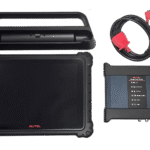
| Included Accessories | Main Cable V2.0, USB 2.0 cable, AC/DC adapter (12V), cigarette-lighter adapter, battery clamp cable, USB-to-Ethernet adapter, USB Type-C cable, spare fuses (×2). |
| Screen Lock | Recommended for security and battery optimization. |
| Navigation | Touchscreen control, Back/Home/Recent Apps buttons, split-screen mode, AI voice assistant (“Hey Max”), built-in browser, and camera (tap to open, hold to capture). |
3. Safety Precautions
General Warnings:
Perform all tests in a safe environment. Wear ANSI-approved safety glasses. Stay away from moving or hot components. Work in a well-ventilated area (exhaust gases are toxic). Keep the transmission in PARK/NEUTRAL, apply the parking brake, and block the wheels. Avoid high-voltage components. Keep a fire extinguisher nearby. Do not connect or disconnect cables while the engine is running. Keep the device dry, clean, and free of oil (clean with a mild solution). Do not drive the vehicle during diagnostics. Always refer to the vehicle’s service manual for procedures.
Engine Operation:
Use an exhaust extraction system and avoid loud environments or headphones while testing.
DANGER: Running the engine in an unventilated area can cause death.
WARNING: Potential hazards may cause severe injury.
For Standard Tools:
Do not exceed electrical limits (risk of electric shock). Do not ground the negative lead to the power supply. Use insulated battery adapters. Do not use the device in wet or explosive areas. Inspect accessories before use. Do not disassemble the tool.
Battery Safety:
Do not charge below 0°C or above 45°C. Inspect for cracks or leakage before use.
4. Battery and Power Management
Power Sources:
- Internal battery: 18,000 mAh (tablet)
- VCMI 2 battery: 3750 mAh
- AC/DC adapter: 12V/6A
- Vehicle power via DC or auxiliary port
- USB-C (45W PD)
Charging:
Use the docking station for optimal charging. Do not charge at extreme temperatures.
LED Indicators:
- Green: >90%
- Yellow: <90%
- Red: Low battery or error
Recommendations:
Fully charge before ECU programming. Use a battery stabilizer for steady voltage. Do not interrupt programming (may damage ECU). Battery capacity decreases over time; back up data before repair.
5. Software Updates
Access:
Use the Update button in the MaxiSys Job Menu (p. 249) or the VCMI Manager for VCMI/BAS updates (p. 253–254).
Automatic Updates:
Enable Auto Update in Settings (p. 245).
Requirements:
Stable internet connection. Disconnect VCMI 2 while updating (5–15 minutes). Supports OEM server connectivity for programming.
6. Troubleshooting
No Connection:
Check VCMI 2 power, network status, interference, and re-pair the unit.
For wired connections: inspect cables. Restart the device.
Programming Errors:
May result from weak connections, low voltage (use stabilizer), or stopping the engine too early. Retry with full charge.
Data Logging:
Use the Data Logging feature to record issues and submit them to support (p. 229, 258).
Checklist:
Refer to section 23.2 (p. 271).
7. Maintenance
Instructions:
Section 23.1 (p. 270). Keep the device dry and clean. Use a mild cleaner and a damp cloth. Avoid short circuits in the docking station.
Battery:
Section 23.3 (p. 271). Use an approved charger. Avoid disassembling, exposure to fire, or moisture.
Service:
Section 23.4 (p. 272). No user-serviceable parts. Contact Autel support for repair.
8. Warranty
12-Month Limited Warranty:
Covers defects in materials and workmanship from the purchase date (p. 279). Includes free repair or replacement of defective parts/labor. Requires proof of purchase.
Exclusions:
Abnormal use, accidents, unauthorized modifications, misuse, harsh conditions, non-approved accessories, cosmetic damage, external impact.
Limitations:
No liability for incidental or consequential damages. Always back up data before service—content may be erased.
9. Other Key Operational or Technical Details
- AI Technician: Voice commands in English for opening apps and controlling functions (p. 22–24).
- Digital Vehicle Inspection (DVI): Capture vehicle condition with photos, brake/tire measurements, etc. (p. 24–27).
- Data Manager: Store vehicle history, reports, PDFs, cloud files, and reviews; edit or link records; backup and restore (p. 220–229).
- Printing Settings: Configure printers via Wi-Fi or LAN (p. 243).
- Report/Notification/Auto-Update/OBFCM Settings: p. 244–246.
- System Settings: p. 248.
- Compliance: FCC Class B, IC (Canada), CE RED, RoHS (p. 276–279).
- Proper Exit Procedure: Always end the vehicle connection step-by-step to avoid ECM damage (p. 75–76).
ECU and ECM Programming Capabilities of the Autel MaxiSys Ultra S2
The Autel MaxiSys Ultra S2 is one of the most powerful devices for ECU/ECM programming in 2025. It does not only read or clear fault codes but provides a full programming system compatible with most modern vehicles. The device uses advanced technologies in Online Coding, Reprogramming, Adaptation, and Initialization, offering a safe working environment without the risk of damaging control units.
1. Online ECU Programming
- Supports direct ECU programming via manufacturer servers.
- Compatible with vehicles such as:
- BMW
- Mercedes-Benz
- Volkswagen / Audi
- Porsche
- Jaguar / Land Rover
- Chrysler / Dodge / Jeep
- GM
- Software is updated via internet connection, ensuring access to the latest manufacturer maps and programs.
2. ECM (Engine Control Module) Software Updates
- The device can reload engine software maps to optimize engine performance.
- Helps fix issues like:
- Weak torque
- Engine vibration
- High fuel consumption
- MAP/MAS sensor errors
- Ultra S2 uses algorithms that ensure safe memory writing without interruptions.
3. Advanced Coding Functions
- Allows control unit coding such as:
- Activating/deactivating in-vehicle functions
- Programming ABS, SRS, BCM, TCM modules
- Battery coding
- Dashboard and body control coding
- The device provides built-in explanations for each parameter before modification (Feature Descriptions).
4. Adaptation & Initialization
- Initialization functions are critical when replacing any vehicle component. Ultra S2 supports all essential adaptations such as:
Examples:
- Injector Coding
- Throttle Body Adaptation
- Transmission Adaptation
- ABS Bleeding & Initialization
- Reset Fuel Trim
- ADAS Basic Calibration for cameras and radar sensors
- These functions are essential after engine maintenance or replacing any electronic module.
5. TCM and BCM Reprogramming
- Supports programming of:
- Transmission Control Module (TCM)
- Body Control Module (BCM)
- Immobilizer / Key Programming (usually via IM608 Pro II, but Ultra S2 supports basic IMMO functions)
6. Smart Auto VIN and Guided Programming
- One of the strongest features:
- The device detects the vehicle VIN automatically and loads guided programming steps.
- No manual searching required.
- Shows the technician:
- Sensor locations
- Removal and installation steps
- Step-by-step programming sequence
7. Advanced Protection During Programming
- Equipped with a Power Management system to prevent programming interruptions.
- Warns if the battery is low.
- Manages VCI connection stability to prevent flashing failures.
8. New Module Programming
- Supports programming of newly installed units without software, such as:
- New ECU
- New TCM
- ABS Unit
- EPS Steering
- Airbag Control Module
- BCM
- Gateway Units
- Automatically downloads the correct software from the server.
9. Reflashing for American and Japanese Vehicles
- Compatible with protocols:
- SAE J2534
- DoIP
- CAN FD
- Ethernet Diagnostics
- Enables reflashing for vehicles like Toyota, Nissan, Honda, Ford, Chevrolet, and more.
10. Ideal Solutions for Workshops and Service Centers
- Provides technicians the ability to:
- Repair software issues
- Update outdated modules
- Restore damaged modules after failed programming
- Solve gearbox jerking or misfire issues caused by incorrect programming
Comprehensive Comparison Between Autel MaxiSys Ultra S2 and Autel MaxiSys Ultra (As of November 2025)
The Autel MaxiSys Ultra S2 is the updated and advanced version of the Autel MaxiSys Ultra, one of the best professional automotive diagnostic tools. Ultra S2 was released in early 2025 as a major upgrade to the original Ultra (2023–2024), focusing on improved performance, AI capabilities, and EV support. Both devices support full diagnostics for over 80 brands and 16,000 models, including advanced ECU programming & coding, bi-directional control, and service functions (>45 functions).
Based on official specs and reviews (Autel.com, OBDII365, DiagMart), here is a detailed tabular comparison. Ultra S2 excels in speed, display, and smart features, making it ideal for advanced workshops, while Ultra suits general use at a lower cost.
1. Main Hardware Specifications
| Feature | Autel MaxiSys Ultra | Autel MaxiSys Ultra S2 | Winner / Key Difference |
|---|---|---|---|
| Processor | 2.3 GHz Octa-core | 2.7 GHz Octa-core (17% faster) | S2: faster diagnostics & programming |
| RAM | 12 GB | 12 GB (same, but AI optimized) | Tie |
| Storage | 256 GB | 512 GB (double) | S2: better for reports & updates |
| Display | 12.9″ touchscreen (2732×2048) | 13.7″ anti-glare (2176×1600) | S2: larger & clearer for topology maps |
| OS | Android 13 | Android 13 (2025 AI updates) | S2: better support for new functions |
| Connectivity | Wi-Fi 5, Bluetooth 5.0, USB 2.0/3.0, HDMI | Wi-Fi 6 (faster), Bluetooth 5.2, USB 2.0/3.0, HDMI | S2: lower latency for online programming |
| Battery | 18,000 mAh (~10h) | 18,000 mAh (~10h, AI optimized) | Tie |
| VCMI Unit | 5-in-1 (oscilloscope, multimeter, signal generator, CAN test, connection) | 6-in-1 (adds Remote Expert for remote support) | S2: more integrated & supportive |
| Dimensions / Weight | 312x202x34 mm / 2.1 kg | 366.5×281.7×34 mm / 2.115 kg | Ultra: slightly lighter |
| Accessories | OBD-II cable, AC adapter, USB cable | Same + optional EV kit | S2: extra options for EV vehicles |
2. Diagnostic & Programming Capabilities
Both devices support OE-level diagnostics, but S2 adds AI and 2025 enhancements.
| Feature | Autel MaxiSys Ultra | Autel MaxiSys Ultra S2 | Winner / Key Difference |
|---|---|---|---|
| Vehicle Coverage | >80 brands, 16,000 models (1996–2025) | Same + enhanced EV support (BYD, Tesla, Geely) | S2: better for EVs |
| ECU/ECM Programming | Online/Offline for BMW, Mercedes, VW, etc. | Same + AI-guided improvements | S2: faster, fewer errors |
| Topology Maps | Topology Map 2.0 (2D ECU view) | Topology Map 3.0 (3D color, network fault detection) | S2: more detailed & accurate |
| Live Data | Live Data, graphs, 12 parameter integration | Live Data Fusion 2.0 (AI anomaly detection) | S2: automatic analysis |
| Service Functions | >45 functions (Oil Reset, DPF, TPMS, etc.) | Same + EV functions (HV battery test) | S2: adds HEV/EV support |
| Measurement Tools | 4-channel oscilloscope (20 MHz), multimeter | Same + enhanced decoding in VCMI2 | S2: supports Remote Expert |
| Intelligent Diagnostics | Intelligent Diagnostics (T-DCI) | Same + AI-powered image analysis (camera damage detection) | S2: smarter |
3. Special Features & Software
| Feature | Autel MaxiSys Ultra | Autel MaxiSys Ultra S2 | Winner / Key Difference |
|---|---|---|---|
| AI | Basic (Repair Assist, DTC Analysis) | Advanced (MAX Virtual Assistant voice: “Hey Max”) | S2: full voice control |
| Reporting & Sharing | Pre/Post Scan Reports, Cloud Management | Same + Multi-Point DVI (AI digital inspection) | S2: more detailed reports |
| Updates | 1 year free, then annual subscription | Same + monthly EV & AI updates (2025) | S2: latest & faster |
| ADAS Calibration | Full support (ACC, LDW, etc.) | Same + improved cameras/radars | Tie |
| Remote Support | Basic Remote Desk | Remote Expert in VCMI2 (full screen sharing) | S2: better for tech support |
4. Pricing & Value
| Device | Approx. Price | Notes |
|---|---|---|
| Autel MaxiSys Ultra | $3,500–4,000 | Cheaper, suitable for beginner professionals |
| Autel MaxiSys Ultra S2 | $4,500–5,000 | More expensive due to upgrades, saves time & increases efficiency |
Value Recommendation:
- Ultra S2: Best for daily use in advanced workshops or EV vehicles (~20–30% time savings).
- Ultra: Adequate for general diagnostics, cost-effective.
Summary Recommendation:
- Choose Ultra if you want a reliable tool at reasonable cost for basic-to-mid diagnostics (small workshops).
- Choose Ultra S2 for the latest technology, AI, larger display, and EV support (specialized workshops). S2 is the “future-proof upgrade,” especially with 2025 updates.






محمد علي –
مشكورين ماقصرتوا
رجب الدمام –
اشتريت من شركات كثير بس انتوا احسن ناس في الدعم والمعاملة الحسنة شكرا مهندس احمد
محمد العتيبي – الرياض –
خدمة ممتازة، الجهاز استجاب بسرعة والتحديث تم في نفس اليوم، أنصح الجميع.
سلمى الحربي – جدة –
الفريق تعامل بلُطف وشرح كل الخطوات بوضوح. التحديث أحدث فرقاً في أداء سيارتي.
مشعل القحطاني – مكة المكرمة –
شكراً أوتيل الخليج على اهتمامكم بالعملاء. الدورة كانت ممتازة والمحتوى متقن، والتعامل راقٍ من أول اتصال حتى التسليم.