













Autel MaxiSYS Ultra EV Electric Vehicle Diagnostic and Programming Tool
Original price was: 13.668,00 SAR.12.900,00 SARCurrent price is: 12.900,00 SAR.
The Most Powerful Electric Vehicle Diagnostic and Programming Tool in Saudi Arabia: Autel MaxiSYS Ultra EV. The Autel MaxiSYS Ultra EV is not just an ordinary diagnostic tool—it is a comprehensive diagnostic platform designed specifically to meet the demands of modern EV and hybrid workshops. The device delivers exceptional performance in diagnosing electric and hybrid vehicles, with remarkable capabilities to read faults, inspect high-voltage systems, analyze batteries, and program ECU and EV modules with high precision. With its ultra-fast processor and large UHD touchscreen, the Ultra EV provides a professional level that rivals the world’s most advanced diagnostic systems.
Purchasing the device from Autel Diag Saudi Arabia—the official authorized distributor—ensures a safe and secure purchase, backed by a 2-year full warranty, including original parts and regular official updates. The technical support team at Autel Diag is among the strongest in the Kingdom, offering direct assistance to solve issues, initial setup guidance, and precise instructions to maximize the device’s advanced capabilities.
The benefits don’t stop there: with every purchase, you receive a free specialized training course covering the use of the device for diagnosing and programming electric and hybrid vehicles—from beginner to professional level. The course is delivered by EV system experts and is a golden opportunity to enhance your skills and boost your workshop’s performance using the latest global diagnostic technologies.
Device + Authorized Warranty + Technical Support + Free Training = The Best Professional Deal in the Saudi Market.
233 in stock
 Maya / المبيعات
تواصل معنا عبر الواتس لتحصل على هدية على الجهاز
Maya / المبيعات
تواصل معنا عبر الواتس لتحصل على هدية على الجهاز
What Is the Autel MaxiSYS Ultra EV Electric Vehicle Diagnostic Tool and Why Is It the No.1 Choice in Saudi Arabia?

The Autel MaxiSYS Ultra EV Electric Vehicle Diagnostic and Programming Tool is the latest-generation system designed specifically for advanced EV and HEV technologies. It combines ultra-powerful hardware, a fast operating system, and high-precision analysis of high-voltage electrical systems, making it one of the most essential tools for any professional workshop servicing modern electric vehicles.
The Ultra EV excels in performing full diagnostics on all electric vehicle systems, including high-voltage batteries, power converters, inverters, on-board chargers, and EV control modules. It also supports ECU programming, module re-initialization, and secure software updates, enabling technicians to identify and repair faults quickly and efficiently—far beyond simple code reading.
In the Saudi market, it has become the No.1 choice thanks to its wide vehicle coverage, exceptional reliability, and availability through Autel Diag Saudi Arabia, the official distributor offering a full 2-year warranty, direct technical support, and a free training course. This powerful combination makes the Autel Ultra EV not just a diagnostic tool, but a complete EV service platform that elevates workshop performance and provides a strong competitive advantage in the rapidly growing electric vehicle market.
Autel Ultra EV Electric Vehicle Diagnostic Tool – Key Features
The Autel MaxiSYS Ultra EV Electric Vehicle Diagnostic and Programming Tool is one of the most advanced EV scan tools in the world. It combines powerful hardware, intelligent diagnostics, and exceptional capability to handle complex systems found in modern electric and hybrid vehicles. What makes it especially popular among Saudi workshops is its high accuracy, fast performance, and ease of use despite its professional-level features. Here are the top advantages:
1. Full High-Voltage System Diagnostics
The Ultra EV delivers complete analysis and testing of all major high-voltage components, including:
- High-Voltage Battery Pack (HV Battery)
- Battery Management System (BMS)
- Inverters & Power Converters
- On-Board Charger (OBC)
- Electric Motor & Drive Motors
The device shows detailed battery status, cell health, temperature readings, charge cycles, and overall efficiency with exceptional precision.
2. ECU Programming and Advanced EV Module Configuration
Ultra EV provides powerful programming capabilities such as:
- Programming and initializing control modules
- Resetting EV electrical systems
- ECU and BMS software updates
- Battery pack initialization after replacement
These functions allow technicians to fix real issues—not just clear fault codes.
3. Wide Vehicle Coverage for EV and Hybrid Models
The device supports hundreds of EV/HEV models commonly found in Saudi Arabia, including:
Tesla – Toyota – Lexus – BYD – Hyundai – Kia – MG – Ford – Nissan,
with continuous online updates added automatically.
4. Intelligent Diagnostics with Advanced Algorithms
Ultra EV offers smart repair recommendations through Intelligent Diagnostics, real-time reports, and EV wiring diagrams that help technicians locate and resolve faults in seconds.
5. 12.9-Inch High-Resolution Display with Ultra-Fast Performance
With its large, crystal-clear display and extremely fast processor, the device ensures smooth navigation, instant loading, and effortless switching between systems—even on highly complex EV platforms.
6. Built-In EV Testing Tools
The Ultra EV comes with integrated tools such as:
- High-voltage measurement accessories
- Battery testing equipment
- EV expansion modules
This makes it a fully equipped EV diagnostic solution without the need for additional devices.
7. Ideal for Saudi Workshops – Warranty, Support, and Training
Purchasing the Ultra EV from Autel Diag Saudi Arabia gives you:
- Full 2-year official warranty
- Direct technical support
- Free official software updates
- A free training course covering all system functions
This makes the Autel Ultra EV not just a diagnostic device, but a complete EV service platform tailored for the growing electric vehicle market in Saudi Arabia.
Ultra EV High-Voltage System Diagnostics and Electric Vehicle Battery Analysis

The Autel MaxiSYS Ultra EV Electric Vehicle Diagnostic and Programming Tool comes equipped with advanced capabilities specifically engineered for high-voltage systems in modern EVs. This makes it one of the most powerful diagnostic platforms available for professional EV workshops. The device uses precise diagnostic technologies that allow technicians to analyze the real-time condition of every high-voltage component with exceptional accuracy—detecting deep, hidden issues that traditional scanners simply cannot identify.
1. Complete High-Voltage System Scan
The Ultra EV performs a full diagnostic scan of every high-voltage circuit inside the electric vehicle, including:
- High-Voltage Battery Pack (HV Battery)
- Battery Management System (BMS)
- DC-DC Converter
- Inverter Module
- On-Board Charger (OBC)
- Electric Drive Motor (e-Motor)
The tool reads real-time data and displays temperatures, voltages, currents, and circuit behavior with professional clarity.
2. Professional High-Voltage Battery Analysis
The Ultra EV provides one of the most advanced EV battery analysis tools on the market, enabling technicians to:
- Measure the State of Health (SOH)
- Read the State of Charge (SOC)
- Monitor temperature for each individual cell
- Identify weak or damaged cells
- Analyze charge cycles and cell balancing
- Generate full battery efficiency and performance reports
This capability is essential for diagnosing range issues, performance drops, and thermal problems in EV batteries.
3. Battery Calibration and Initialization After Repair or Replacement
After repairing the battery or replacing damaged cells, the Ultra EV can:
- Reinitialize and calibrate the BMS
- Activate new battery packs or cell groups
- Synchronize the system with new modules
- Clear imbalance-related fault codes
These functions ensure precise and efficient post-repair battery performance.
4. Advanced High-Voltage Wiring Diagrams and Guided Troubleshooting
Ultra EV provides detailed wiring diagrams for every high-voltage subsystem, along with step-by-step circuit tracing and guided troubleshooting. This helps technicians locate and fix faults with high accuracy and minimal guesswork.
5. Temperature and Efficiency Monitoring During Driving or Charging
The device supports real-time monitoring of battery and motor data during:
- Driving
- AC charging
- DC fast charging
This gives technicians a complete picture of the system’s behavior under real operating conditions and heavy load.
How the Autel MaxiSYS Ultra EV Helps Technicians Maintain Electric Vehicles
The Autel MaxiSYS Ultra EV gives automotive technicians unmatched capabilities in diagnosing high-voltage systems in electric and hybrid vehicles. With intelligent diagnostic technology, the device delivers a complete, real-time overview of the vehicle’s condition—making EV maintenance faster, more accurate, and significantly safer than traditional diagnostic tools.
Thanks to Autel’s Intelligent Diagnostics platform, technicians get:
- Instant fault analysis
- Automated repair recommendations
- Interactive wiring diagrams
- Step-by-step repair guidance
- Global fault pattern comparisons for root-cause identification
This allows technicians to pinpoint issues in complex high-voltage systems—such as the battery pack, inverter, EV control units, and electric motor—within minutes instead of hours.
Why the Ultra EV Is Valuable for Workshops in Saudi Arabia
With the rapid growth of electric vehicles in Saudi Arabia, the Autel MaxiSYS Ultra EV has become essential for professional workshops. It offers:
- Full ECU programming capabilities
- Extensive support for EV Modules
- Coverage for 100+ global brands
- Official Saudi warranty (2 years), professional support, and free training
Full Support for ECU Programming and Advanced EV Module Coding
The Autel MaxiSYS Ultra EV features advanced programming capabilities that allow technicians to service even the most complex electronic systems in modern electric vehicles.
1. Complete ECU Programming
The device supports:
- Full firmware rewriting
- Control module updates
- System calibration after replacement
- Secure gateway functions
- J2534 passthru programming
This means the Ultra EV does more than just read or clear fault codes—it resolves the root of the problem by restoring or updating system software safely and accurately.
2. Advanced EV Module Programming
The Autel MaxiSYS Ultra EV can program and configure all major high-voltage EV systems, including:
- BMS – Battery Management System
- Inverter Control Module
- On-Board Charger (OBC)
- DC-DC Converter
- VCU – Vehicle Control Unit
- Drive Motor Control Module
Each programming task includes:
- Wiring diagrams
- Safety warnings for HV systems
- Calibration steps
- Configuration guidance
This makes it one of the most powerful EV programming tools available in the Saudi market.
Electric Vehicle Diagnostic Tool & EV Programming Tool — Complete Guide to the Autel MaxiSYS Ultra EV
In today’s fast-growing EV industry, a professional diagnostic platform like the Autel MaxiSYS Ultra EV is essential for workshops handling electric, hybrid, petrol, and diesel vehicles. It is not just a scanner—it is a complete diagnostic and programming ecosystem that provides:
- Exceptional accuracy in HV system analysis
- Advanced battery pack diagnostics
- ECU and EV module programming
- VCMI embedded tools for electrical testing
- Wide coverage across 100+ global brands
Overview: Autel MaxiSYS Ultra EV — The Next-Generation EV Diagnostic System
The Autel MaxiSYS Ultra EV is engineered for full support of electric and hybrid vehicle diagnostics and programming, covering major brands such as:
Tesla, BYD, BMW, Audi, GM, Toyota, Honda, Lexus, Hyundai, Mercedes, and more.
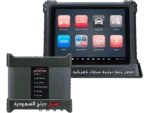
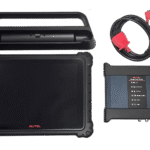
Main Components
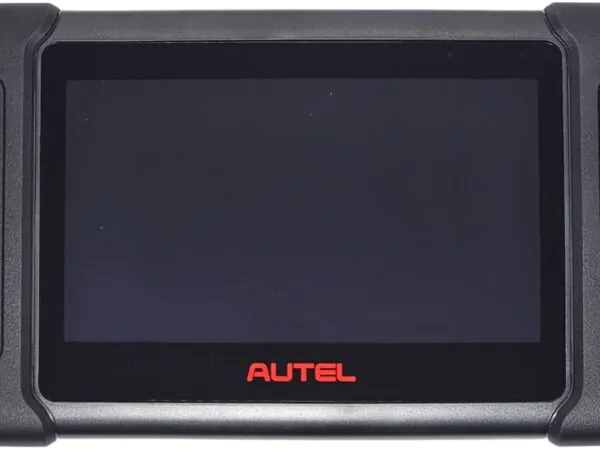
1. MaxiSys Tablet
A high-performance control center featuring:
- Ultra-fast processor
- Large memory
- 12.9-inch display
- Professional Android system
2. MaxiFlash VCMI (5-in-1 Device)
- 4-channel oscilloscope
- Digital multimeter
- Waveform generator
- CAN bus tester
- Advanced diagnostic interface
3. EVDiag Box
A specialized module for high-voltage battery pack testing outside the vehicle, without full system disassembly.
High-Voltage System Diagnostics & EV Battery Analysis with the Ultra EV
1. Complete High-Voltage System Scan
The Autel MaxiSYS Ultra EV automatically identifies every HV component:
- HV Battery Pack
- BMS
- Inverter
- OBC
- DC-DC Converter
- e-Motor
With real-time live data including:
- Voltage
- Current
- Temperature
- Cell balance
- Power consumption trends
2. Advanced HV Battery Analysis
One of the strongest features of the Autel MaxiSYS Ultra EV is its EV battery diagnostic capability:
- SOH (State of Health)
- SOC (State of Charge)
- Temperature of each cell
- Detection of weak or damaged cells
- Charge cycle data
- Cell balancing analysis
- Full battery efficiency report
Essential for diagnosing:
- Poor driving range
- Overheating
- Loss of power
- Rapid battery degradation
3. Battery Calibration & Reconfiguration After Maintenance
The device supports:
- BMS reset
- Activation of new cells
- Cell balancing synchronization
- Clearing HV system errors
4. Full Electrical Wiring Diagrams
Includes:
- Complete wiring diagrams
- Trace-by-trace circuit following
- Repair instructions
- Voltage/current test points
5. Live Monitoring During Driving or Charging
The Ultra EV can monitor live data during:
- AC charging
- DC fast charging
- On-road driving conditions
Autel MaxiSYS Ultra EV Specifications – Power Meets Precision
To deliver exceptional performance in electric car diagnostics and programming, the Autel MaxiSYS Ultra EV comes equipped with high-end hardware, advanced EV testing capabilities, and professional-grade reliability. Below is a detailed specification table covering the main components of the device.
MaxiSys Tablet Specifications
| Feature | Details |
|---|---|
| Display | 12.7-inch TFT-LCD touchscreen, 2732 × 2048 resolution |
| Processor | Octa-core 2.8 GHz |
| Memory | 8 GB RAM, 256 GB internal storage (expandable via SD card) |
| Connectivity | WiFi 802.11 a/b/g/n/ac/ax, Bluetooth 5.0, GPS, USB 2.0, HDMI 2.0 |
| Battery | 18,000 mAh (up to 8 hours of work), AC/DC charging (12V/3A) |
| Dimensions / Weight | 366.5 × 280.9 × 34 mm, 2.06 kg |
| Operating System | Android 11 |
MaxiFlash VCMI Specifications
| Feature | Details |
|---|---|
| Measurement | 4-channel oscilloscope (20 MHz, 80 MS/s), multimeter, waveform generator |
| Connectivity | Bluetooth 4.2, USB 2.0, WiFi 5G, Ethernet |
| Power | 3750 mAh battery, supports 12/24V vehicle power |
| Dimensions / Weight | 192 × 214 × 39 mm, 1.2 kg |
EVDiag Box Specifications
| Feature | Details |
|---|---|
| Function | High-voltage EV battery pack interface |
| Power | 12V DC (max 3A) |
| Dimensions / Weight | 168.35 × 166 × 47.35 mm, 0.648 kg |
The Autel MaxiSYS Ultra EV is engineered to operate safely in workshop environments, performing reliably in temperatures ranging from 0°C to 50°C, making it one of the best electric vehicle diagnostic tools in the market.
Key Features of Autel MaxiSYS Ultra EV – The Best EV Diagnostic & Programming Tool
The Autel MaxiSYS Ultra EV includes a powerful suite of EV-focused applications and intelligent diagnostic features, all running on Android 11:
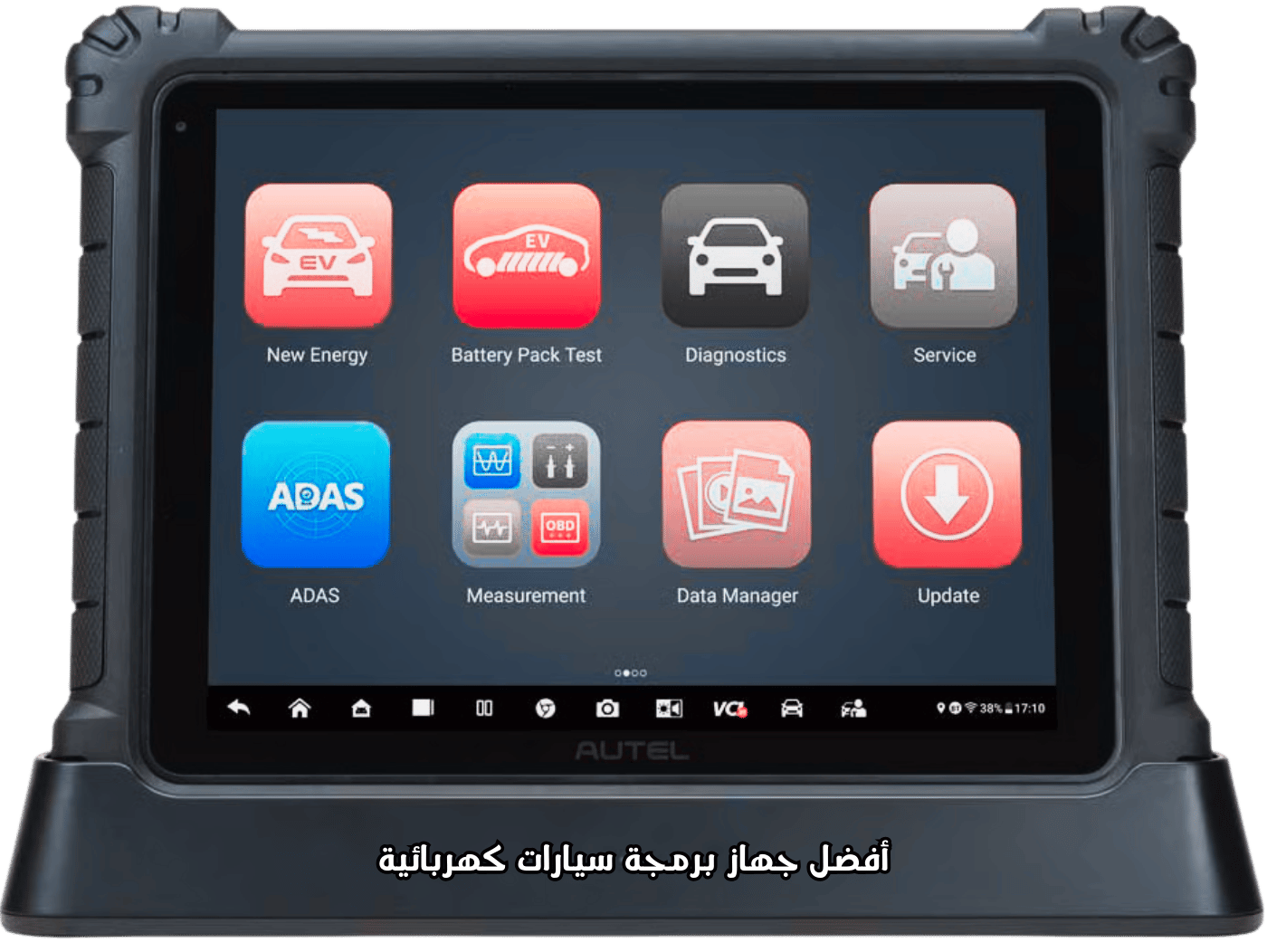
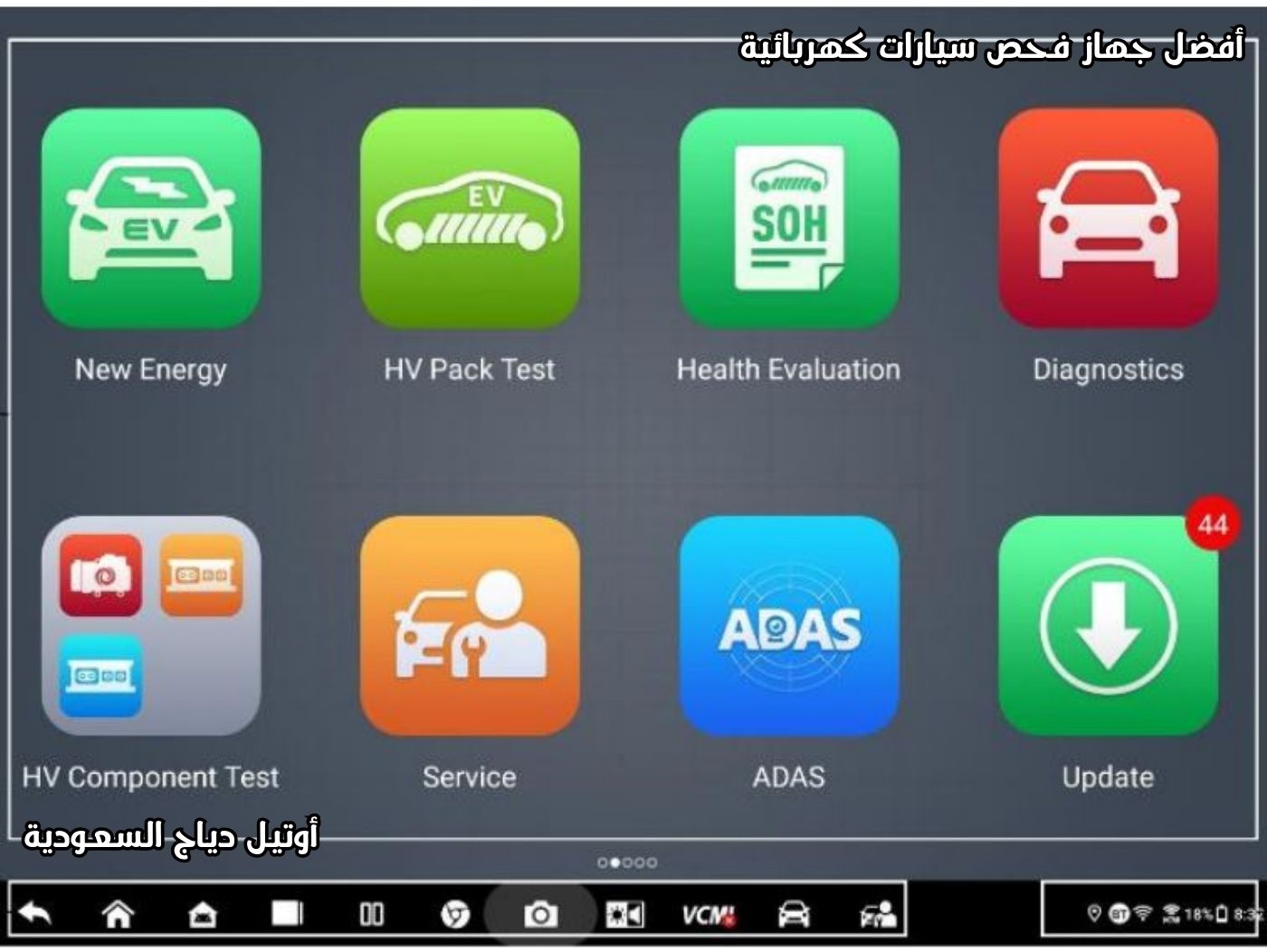
New Energy Module
- Full High-Voltage (HV) topology mapping
- Live data (text/graph/waveform/digital)
- Active tests
- Special functions for EV systems
HV Battery Pack Test
- Measures SOC/SOH
- Voltage / current / temperature testing
- Dynamic load test
- Relay control with advanced safety warnings
HV Component Testing
- HV compressor
- DC/DC converter
- On-board charger (OBC)
General Diagnostics
- Full system auto scan
- Read / clear DTCs
- Live data (up to 50 parameters)
- Bi-directional active tests
Service Functions
- Oil reset
- EPB
- TPMS
- BMS
- DPF
- IMMO
- SAS
ADAS Calibration
- Calibration & alignment for advanced driving systems
Data Manager
- Vehicle history
- PDF diagnostic reports
- Data logging
Waveform Library
- Online & offline search
- Save & share waveforms
- Built-in waveform generator (up to 30 kHz)
Advanced ECU Programming Support
The Autel MaxiSYS Ultra EV supports secure online ECU programming using:
- D-PDU
- SAE J2534
- RP1210
This makes it ideal for workshops handling electric vehicles, hybrid vehicles, and high-voltage battery diagnostics.
Autel MaxiSYS Ultra EV — Step-by-Step Setup & Installation Guide
If you’re looking for a complete, 100% safe guide to set up the Autel MaxiSYS Ultra EV diagnostic and programming tool, you’re in the right place. This comprehensive how-to is adapted from the official user manual and is aimed at EV/HEV technicians and authorized service centers.
Step 0 — Mandatory Safety Precautions (Before touching anything!)
Before setting up or operating the Autel MaxiSYS Ultra EV, follow these safety rules precisely:
- Wear ANSI Z87.1 certified safety goggles.
- Wear insulated high-voltage gloves (rated at least 1000V CAT III).
- Never touch any high-voltage (HV) components while the vehicle is running or the battery is charging.
- Work in a well-ventilated area free from flammable gases.
- Ensure a Class C or D fire extinguisher is available nearby.
- Do not disconnect or connect HV (orange) connectors unless the vehicle’s service disconnect is confirmed OFF.
Step 1 — Unboxing and Initial Contents Check (First time)
Upon receiving your Autel MaxiSYS Ultra EV, verify that the package includes:
- MaxiSYS Ultra Tablet
- MaxiFlash VCMI (5-in-1 black module)
- EVDiag Box + high-voltage battery cables
- Main OBDII cable + manufacturer adapters (BMW, Benz, Chrysler, etc.)
- USB-C charging/programming cable
- 12V/3A charger + international plug adapters
- 64 GB microSD card (pre-installed)
- Official carry case
Step 2 — First Power-On (Tablet)
- Press and hold the tablet power button (top-right) for 5–8 seconds.
- The Autel welcome screen will appear.
- Choose your language (Arabic available).
- Swipe up to access the main Job Menu.
- The tablet will prompt you to charge to 100% on first use — do not skip this step.
Step 3 — Register & Activate the Device (Required for updates)
- Connect to a stable, strong Wi-Fi network.
- Open the Update or Support app.
- Tap Register and enter required details: name, email, serial number, and the password printed on the tablet’s back.
- Log into Autel Pro:
https://pro.autel.comand add the device to your account. - Registration typically grants one full year of free updates.
Step 4 — Full System Update (Highly recommended before any diagnostic work)
- Open the Update app.
- Tap Update All (may take 2–4 hours depending on connection speed).
- Update packages to include:
- Android OS (Android 11 → latest available)
- Diagnosis APK
- New Energy (EV) application
- Firmware for VCMI and EVDiag Box
- Reboot the tablet after major updates.
Step 5 — Pairing the VCMI with the Tablet (Connection options)
You have three connection options between the tablet and the VCMI:
- USB (preferred for ECU programming and firmware updates — fastest & most stable)
- Bluetooth 5.0 (range up to ~50 meters)
- Wi-Fi (2.4G & 5G)
Quick pairing steps:
- Power on the VCMI (green power button).
- On the tablet: Settings → Bluetooth → find
VCMI-XXXX. - Enter the passcode printed on the VCMI label.
Step 6 — Connecting the Autel MaxiSYS Ultra EV to the Vehicle
- Ensure the vehicle is fully powered off (Ready = OFF).
- Locate the OBDII port (usually under the dash left of the driver).
- Connect the main OBDII cable to the vehicle and to the VCMI.
- Wait until the VCMI LED is steady green → connection established.
- The tablet should display Vehicle Communication Connected.
Step 7 — Connecting the EVDiag Box (HV battery pack testing)
Used when testing the HV battery pack (in-vehicle or on a bench):
- Connect the EVDiag Box to the VCMI’s HV port.
- Use the supplied 16-pin adapter or the orange HV battery harnesses.
- Always wear full PPE before approaching the battery pack.
Step 8 — Safety & Configuration Before Any HV Programming or Testing
- Run an Insulation Test via the app before any HV work.
- Use an external power source (Battery Maintainer) of at least 12V / 100A when programming.
- Never interrupt power during ECU or BMS updates.
- Ensure tablet and VCMI batteries are fully charged (100%) before programming.
Golden Tips to Avoid Issues During Setup and Use
- Keep the device away from strong transmitters (radars, welding machines).
- Operate and store the unit between 0°C and 50°C.
- Avoid leaving batteries below 20% for extended periods.
- Back up customer data to Autel Cloud regularly.
With these steps, your Autel MaxiSYS Ultra EV is installed, configured, and ready for professional, safe diagnostics and programming — from Tesla and BYD to BMW i, Mercedes-EQ, Audi e-tron, and all modern EV/HEV models.
You’re now ready to diagnose and program electric vehicles with confidence and full workshop professionalism.
How to Diagnose a High-Voltage Battery Pack Using Autel MaxiSYS Ultra EV – Complete Step-by-Step Guide
This guide is intended for technicians who want to:
- Inspect an electric vehicle (EV) battery
- Diagnose high-voltage (HV) battery packs
- Measure SOC (State of Charge) and SOH (State of Health) accurately
- Perform insulation tests
- Detect weak or faulty cells in Tesla, BYD, BMW i, Mercedes EQ, Audi e-tron, and other EVs
Mandatory Preparation Before Any High-Voltage Battery Test
- Wear full PPE:
- 1000V CAT III insulated gloves
- ANSI Z87.1 safety goggles
- Insulated suit if available
- Ensure the vehicle is in Service Mode or Maintenance Mode
- Disconnect the Service Disconnect Plug (orange connector) if required (Tesla Model 3/Y requires Penthouse Disconnect)
- Wait at least 10 minutes after disconnect to discharge capacitors
- Keep an AED device and Class D fire extinguisher nearby
Method 1: In-Vehicle Battery Pack Diagnosis – Most Common Approach
Step 1: Access the New Energy Section
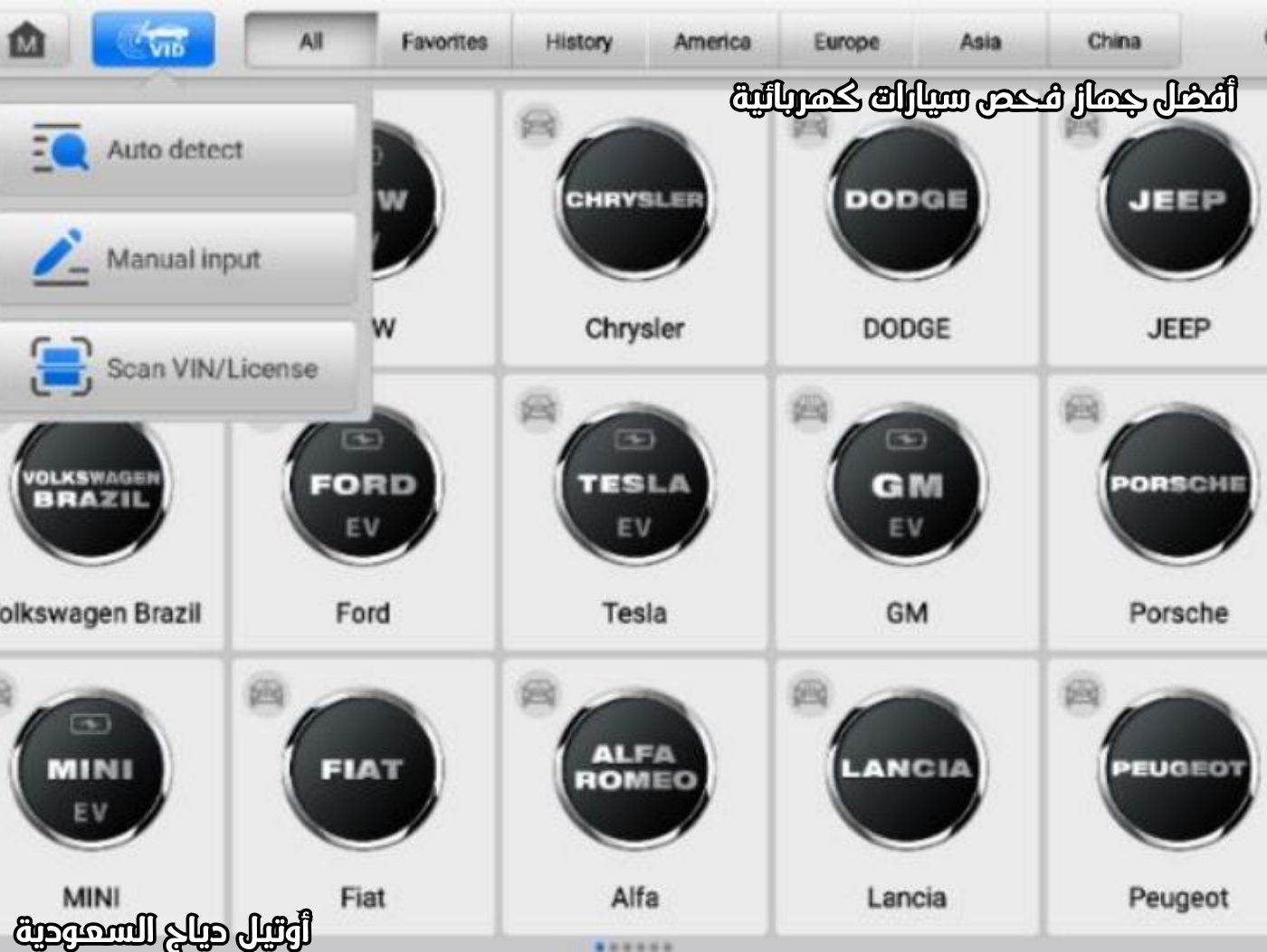
- Open the tablet → select New Energy or EV Diagnosis.
- Choose the vehicle brand: Tesla, BMW i, Mercedes EQ, Audi e-tron, BYD, etc.
- Select the exact model and year (e.g., Tesla Model 3 Long Range 2024).
Step 2: Select High-Voltage System
- Tap High-Voltage Battery Pack or Battery Management System (BMS).
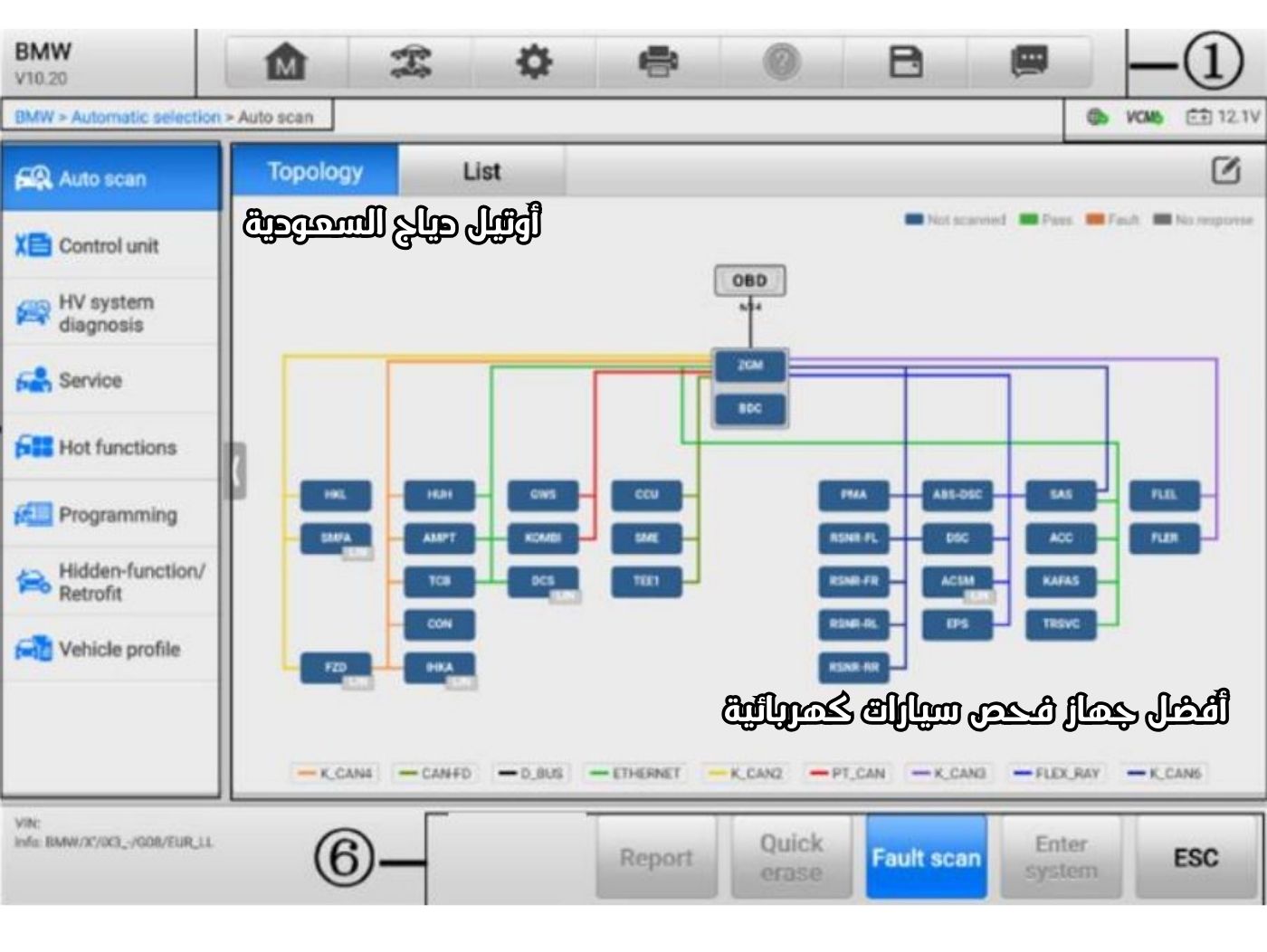
- A color-coded topology of all HV components will appear.
Step 3: Read Live Data – The Most Critical Step
The Autel MaxiSYS Ultra EV displays the following values in real time:
- Pack Voltage: e.g., 350–450V
- Pack Current
- SOC % (State of Charge)
- SOH % (State of Health)
- Min/Max Cell Voltage
- Delta Voltage: difference between highest and lowest cell; >30–40 mV indicates a problem
- Cell Temperature: max & min
- Insulation Resistance: should be >500 kΩ
Step 4: Automatic Insulation Test
- Tap Insulation Test in the app.
- The device measures resistance between Positive, Negative, and Chassis automatically.
- Normal result: >1 MΩ
- Warning: <100 kΩ indicates severe high-voltage leakage
Step 5: Individual Cell Voltage Map
- Tap Cell Voltage Details.
- The tablet shows a table or graph of each cell (96–108 cells depending on the vehicle).
- Weak cells appear in red or yellow.
- Save the report as a PDF for the customer.
Method 2: Out-of-Vehicle Battery Pack Diagnosis Using EVDiag Box – Advanced Workshops
When to use:
- Battery removed for repair or replacement
- Suspected completely faulty cell
- External balancing or reconfiguration
Required Tools:
- EVDiag Box
- Orange high-voltage battery cables (included)
- 12V high-current power source (Battery Maintainer 100A)
Steps:
- Connect HV cables from the battery to EVDiag Box.
- Connect EVDiag Box to VCMI.
- Open tablet → New Energy → Battery Pack Diagnosis → Out of Vehicle.
- Select battery type (LG Chem, CATL, Panasonic).
- Tap Start → device measures:
- Voltage per cell (accuracy ±1 mV)
- Temperature per cell
- Internal resistance per cell
- Automatic balancing capability
- Optional Dynamic Charge/Discharge Test under load
Final Inspection Report (Customer-Ready)
- Generate PDF → includes:
- Vehicle photo & VIN
- Date & time of inspection
- SOC / SOH
- Min/max cell voltage & weak cell ID
- Insulation status
- Technician recommendation: continue use, slow charge, replace cell, or replace full battery
Quick Examples:
- Tesla Model 3: Cell at 3.1V vs others at 3.7V → replace module
- BYD Blade Battery: SOH <75% → battery near end of life
- BMW iX: Insulation <500 kΩ → water ingress or damaged orange cables
ECU Programming & Coding in Electric Vehicles Using Autel MaxiSYS Ultra EV
This professional guide covers:
- ECU programming for EVs
- BMS coding for Tesla, BMW i, Mercedes EQ, Audi e-tron, BYD, Rivian, Lucid
- Firmware updates
- Programming after battery, inverter, or motor replacement
Mandatory Preparation Before Programming
- Vehicle 12V battery fully charged + Battery Maintainer (80–120A)
- USB connection between tablet & VCMI (no Bluetooth/Wi-Fi during programming)
- Stable, fast internet (>50 Mbps; Ethernet preferred)
- Tablet & VCMI fully charged
- Vehicle in Service/Transport Mode
- Do not open doors or interrupt programming
Step 1: Access ECU Programming Section
- Open Diagnosis on the tablet
- Select the vehicle (e.g., Tesla Model Y 2024)
- Tap ECU Information → Programming or access via main Programming menu
Step 2: Common Programming & Coding Operations
- BMS Programming After Cell/Module Replacement
- Tesla Model 3/Y/S/X → Programming → Battery Pack → BMS Calibration / Battery Configuration Redeploy
- Auto tasks: redefine cell count, reset SOC/SOH, reset odometer, clear permanent DTCs
- BMW i4/iX/i7 → Programming → SME → Adaptation after battery replacement, enter new battery number
- Inverter or Motor Programming After Replacement
- Tesla → Inverter Redeploy
- Audi e-tron / Porsche Taycan → Power Electronics J1234 – Adaptation
- Mercedes EQS/EQE → Power Electronics – Teach-in
- OBC (On-Board Charger) Coding
- Enable faster charging or activate three-phase charging in certain Chinese EVs (BYD, XPeng, NIO)
- Over-the-Air Firmware Update via Workshop
- Tap Online Programming
- Device connects to OEM servers (Tesla, BMW, Mercedes, VW)
- Downloads official latest release (e.g., Tesla 2025.44.3)
- Duration: 30 min–3 hours depending on the vehicle
Step 3: Step-by-Step ECU Programming (Practical Example – Tesla Model Y)
Workflow using Autel MaxiSYS Ultra EV:
- Diagnosis → Tesla → Model Y
- Programming → Gateway → “Allow Programming Mode” (opens the gateway)
- Select the desired control unit: BMS, VCLEFT, VCRIGHT, Inverter
- Tap Online Programming or ECU Programming
- Confirm the VIN and chassis number
- Files will start downloading (progress bar shows percentage)
- After completion, the vehicle may require 3 restarts
- Tap Clear DTC → Generate Report
Approximate Programming Times for Popular EVs:
| Vehicle | Unit | Expected Duration |
|---|---|---|
| Tesla Model 3/Y | BMS Redeploy | 12–18 minutes |
| Tesla Model S/X | Full Firmware Update | 90–150 minutes |
| BMW i4 / iX | SME Programming | 25–40 minutes |
| Mercedes EQS | Battery ECU | 35–55 minutes |
| Audi e-tron GT | Power Electronics | 20–35 minutes |
| BYD Han / Seal | BMS + OBC Coding | 15–25 minutes |
What to Do if Programming Stops Midway (Worst-Case Scenario)
- Never disconnect power
- Tap Resume – device continues from the last percentage
- If it fails → use Recovery Mode in the Programming section
- In extreme cases, contact Autel Technical Support (they provide Remote Rescue)
Pro Tips from Daily Professional Technicians
- Always backup ECU before programming (use the Backup button)
- Do not program more than one unit at the same time
- Tesla: enable Tow Mode before programming
- BMW: activate Transport Mode first
- Mercedes: open Xentry Pass Thru if requested
You are now ready to program and code any modern EV confidently using the Autel MaxiSYS Ultra EV.
Using the 4-Channel Oscilloscope + Signal Generator in Autel MaxiSYS Ultra EV
This feature is the secret weapon that sets the Autel MaxiSYS Ultra EV apart from other diagnostic tools. The VCMI acts as a professional 4-channel oscilloscope:
- 20 MHz bandwidth
- 80 MSa/s sampling rate
- 4 independent channels + built-in signal generator
- 12-bit measurement accuracy
When to Use the Oscilloscope for EV Diagnostics
- Crankshaft or camshaft sensor faults (even if no DTC)
- CAN-H & CAN-L signal problems (distortion, reflection, low voltage)
- IGBT relay failure inside Inverter (Gate Drive measurement)
- High-pressure sensor issues (oil pump, HVAC refrigerant)
- Temperature sensor faults (NTC/PTC)
- Hall sensor & Resolver testing in motors
- OBC charging relay testing
Step 1: Open Oscilloscope & Signal Generator
- From the main screen → tap Scope / Oscilloscope
- Or: Diagnosis → Special Functions → Oscilloscope
Step 2: Connect Leads & Basic Setup
| Channel | Color | Typical EV Signal |
|---|---|---|
| CH1 | Blue | Crankshaft sensor |
| CH2 | Red | Camshaft sensor |
| CH3 | Yellow | CAN-H or Hall Sensor |
| CH4 | Green | CAN-L / Gate Drive / PWM |
- Use 1:1 probes for low-voltage signals (5V)
- Use 10:1 or 100:1 probes for high-voltage signals (up to 600V)
- Connect the black ground clip to a clean chassis ground
Top 8 Practical Oscilloscope Tests in EVs
- Crankshaft & Camshaft Sensor Test
- Preset → CKP + CMP
- Verify waveform, missing teeth, synchronization, no distortion
- CAN Bus Inspection (90% of “No Communication” issues)
- CH3 → CAN-H (White/Green)
- CH4 → CAN-L (Blue/White)
- Waveforms should be complementary, correct voltage levels
- Resolver Signal Test (Tesla, Audi, Porsche Motors)
- 6 wires: EXC+/-, SIN+/-, COS+/-
- Preset → Resolver Test
- Expect 3 sine waves at 90° phase between SIN & COS
- Inverter IGBT Gate Drive
- Use high-voltage 100:1 probe
- Measure Gate-Emitter waveform: 0–15V, 10–20 kHz rectangle
- Hall Sensor Test
- 3 wires: 5V, GND, Signal
- Correct waveform: 3 rectangles, 120° apart
- Electric Oil / AC Pump PWM Test
- Preset → PWM Signal
- Verify duty cycle relative to temperature
- OBC Charging Relay Test
- Measure DC ripple at output (<5 Vpp)
- High-Pressure Sensor (HP Sensor) Test in AC System
- Linear 0.5–4.5V signal
- Observe gradual increase when applying refrigerant
Using the Signal Generator (Secret Weapon)
- Simulates sensors & signals: Crank/Cam, Hall, CAN, PWM, O2, Knock
- Steps:
- Scope → Signal Generator
- Select signal type (e.g., Crankshaft 60-2)
- Press Play
- Connect output to the faulty sensor → if car works, sensor is faulty
- Save waveforms → compare with Autel Cloud library (>100,000 ready signals)
- Share via QR code or WhatsApp with the customer
Mastering this makes you elite in EV electrical diagnostics using Autel MaxiSYS Ultra EV.
Other Functions of Autel MaxiSYS Ultra EV
General Diagnostics
- Auto-scan → topology or list view, fault indicators (green OK, orange DTC)
- ECU info, live data, active tests
EV-Specific Diagnostics
- VIN auto-detection / camera reading
- HV system scan → fault codes, components, wiring diagrams
- SME → maintenance tips based on SOC/SOH
- Live data recording (up to 5 parameters), min/max alarms
- Reports → before/after scan, share via QR/email
Bus Inspection
- Measures CAN signals, frequency, distortion
Programming & Coding Capabilities
- ECU coding after repair
- Online ECU reprogramming (drivetrain, emissions)
- EV-specific: updates for HV components
- Requirements: stable internet, USB connection, 12V battery or maintainer
Battery Analysis & HV Systems
- In/out-of-vehicle pack test, delta voltage, dynamic graphs
- SOC/SOH calibration, relay control with safety
- With BT506: CCA 100–2000A, ripple analysis, battery condition
Oscilloscope & Signal Generator Functions
- 4 channels, 20 MHz, measurements: max/min, frequency, THD
- Triggers: edge, pulse width, distortion
- Multimeter: AC/DC voltage (200V), frequency (1 Hz–1 MHz), resistance (1 Ω–10 MΩ)
- Signal generator simulates Hall, Crankshaft, CAN, PWM (up to 1.9A)
Safety Warning: Always disconnect connectors before closing contacts; only qualified technicians should operate.
Maintenance & Troubleshooting
- Clean with light cleaner, avoid moisture/oil
- Keep batteries charged regularly
- Common issues: connection problems (check Bluetooth/cables), programming errors (use power maintainer), low tablet/VCMI battery
- Support: in-app help, data logging, FAQ
Conclusion: Choose Autel MaxiSYS Ultra EV for the Future of Your Workshop
With the Autel MaxiSYS Ultra EV, diagnosing and programming electric vehicles has become faster, safer, and more efficient—boosting your workshop productivity by up to 50%. For professional technicians, this device is the ideal choice to tackle the latest challenges in the EV world.
For more details, visit the official Autel website or register to receive free updates.
Do you have additional questions about this electric vehicle programming tool? Share them in the comments!






محمد علي –
مشكورين ماقصرتوا
رجب الدمام –
اشتريت من شركات كثير بس انتوا احسن ناس في الدعم والمعاملة الحسنة شكرا مهندس احمد
محمد العتيبي – الرياض –
خدمة ممتازة، الجهاز استجاب بسرعة والتحديث تم في نفس اليوم، أنصح الجميع.
سلمى الحربي – جدة –
الفريق تعامل بلُطف وشرح كل الخطوات بوضوح. التحديث أحدث فرقاً في أداء سيارتي.
مشعل القحطاني – مكة المكرمة –
شكراً أوتيل الخليج على اهتمامكم بالعملاء. الدورة كانت ممتازة والمحتوى متقن، والتعامل راقٍ من أول اتصال حتى التسليم.